
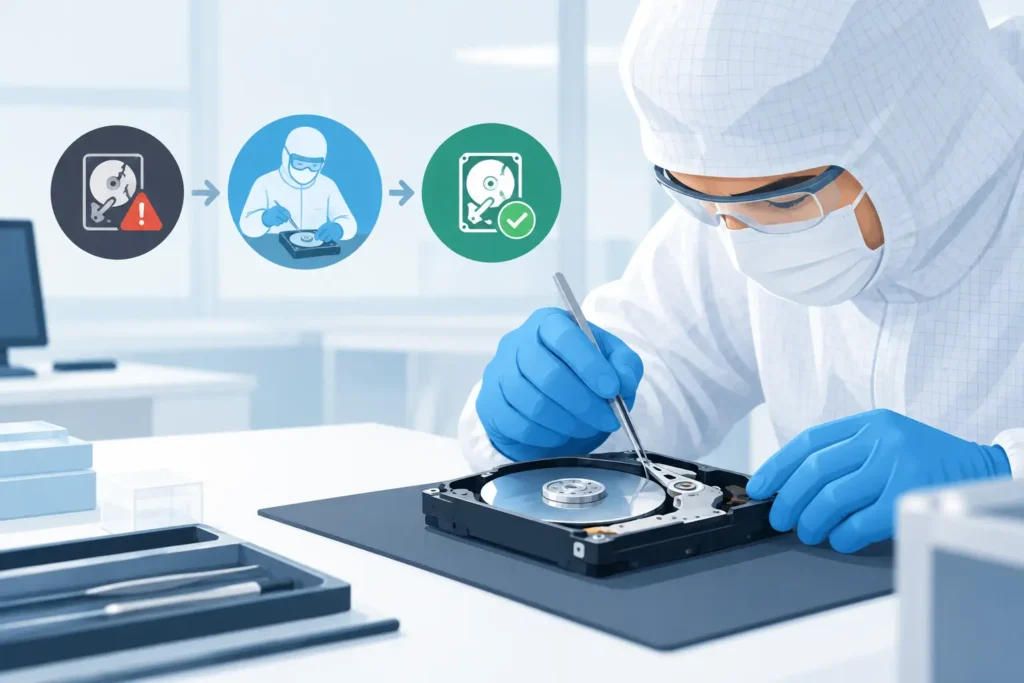
A hard drive that clicks, scrapes, will not spin up or disappears without warning can make every minute feel critical. Knowing when to use cleanroom recovery helps you protect the data that matters without paying for unnecessary work or making a recoverable fault worse. For a physically damaged hard drive, the wrong next step – especially repeatedly powering it on – can turn a targeted recovery into a far more difficult case.
A cleanroom is not required for every data-loss incident. Deleted files, accidental formatting, logical corruption and some software faults can often be addressed without opening the drive. But where the storage device has suffered mechanical failure, contamination, electrical damage or physical trauma, cleanroom work may be the only responsible route.
What cleanroom recovery actually means
Cleanroom recovery is the controlled opening and repair of a hard disk drive in an environment designed to limit airborne particles. Modern hard drives operate with extremely small tolerances between their read/write heads and platters. A speck of dust, fingerprint residue or household debris can cause head damage and score the platter surface.
Certified technicians use specialist tools, compatible donor components and precise handling procedures to inspect the drive safely. Depending on the fault, this may involve replacing failed read/write heads, repairing spindle or actuator issues, stabilising damaged components, or transferring parts required to access the original platters.
The purpose is not simply to get the drive working again. It is to create a safe opportunity to read the data and clone it to stable media. A recovered drive should not be treated as dependable storage afterwards, even if it appears to run.
When to use cleanroom recovery
Cleanroom intervention is most commonly needed for traditional mechanical hard drives, including desktop drives, laptop drives, external USB hard drives and hard drives removed from NAS, RAID and CCTV systems. The following symptoms are serious warning signs.
The drive clicks, beeps, grinds or makes scraping sounds
Repeated clicking can indicate that the heads cannot read the service area of the platters, while beeping may point to a seized spindle or motor problem. Grinding or scraping is more urgent still, as it can mean the heads are contacting the platter surface.
Switch the drive off as soon as these sounds occur. Do not keep restarting it in the hope that it will appear briefly in File Explorer or Disk Management. Each start-up can increase physical damage and reduce the amount of readable data.
The drive was dropped, knocked or crushed
A drive can sustain internal damage even when its enclosure looks intact. A fall from a desk, impact during transport, damage after a laptop is dropped, or pressure on an external drive can misalign delicate internal components.
If the drive was operating at the time of impact, the risk is higher because the platters were spinning and the heads were active. Cleanroom assessment is appropriate where the drive subsequently makes unusual noises, fails to spin, is not detected, or becomes inaccessible after physical shock.
There is water, fire or contamination damage
Floodwater, drinks, humidity, smoke, fire residue and corrosive liquids can all compromise a hard drive. The appropriate action depends on the exposure. Do not dry the drive with a hairdryer, place it on a radiator, clean the internal parts yourself or connect it to power to test it.
Contaminants can corrode circuitry and leave residue on components. In severe cases, the lab process may involve controlled cleaning and stabilisation before data extraction is attempted. Rapid professional assessment is particularly valuable after liquid damage because corrosion can progress over time.
The drive spins but is no longer recognised
A drive that powers on but is missing from the computer may have a firmware fault, damaged heads, degraded platters or an electronics problem. Not every detection issue needs a cleanroom, but a technician should determine whether opening the drive is necessary before recovery begins.
This distinction matters. Replacing a circuit board at home is rarely a reliable fix because modern drives store adaptive information unique to the original hardware. A donor board without the correct transfer work may not access the data and can complicate diagnosis.
Recovery software cannot read the drive safely
Data recovery software is useful for logical cases where the drive is healthy and stable. It is not a safe solution for a drive that freezes, disconnects, reports read errors, slows dramatically, or produces mechanical noises. Software keeps asking the drive to read sectors. On a failing mechanical drive, that extra stress can accelerate degradation.
If the files are valuable – business records, legal documents, client data, family photographs, research, video footage or financial information – stop the scan and seek a proper assessment. The decision is not only technical; it is about the value of the data against the risk of permanent loss.
Cases that usually do not need a cleanroom
Cleanroom recovery is not a catch-all service. A drive may need specialist recovery without ever being opened. Accidental deletion, an emptied Recycle Bin, a quick format, partition loss, operating-system corruption and certain file-system faults are often logical problems. If the drive is physically healthy, the recovery process may involve a forensic image, software analysis and file reconstruction instead.
Solid-state drives are another important exception. SSDs contain no spinning platters or moving heads, so cleanroom head replacement does not apply. SSD recovery can require controller-level diagnosis, firmware analysis, chip-off techniques or work with encrypted translation layers. The device may still need a specialist lab, but for different reasons.
The same principle applies to smartphones, USB flash drives and memory cards. They can fail physically, electrically or logically, yet their recovery method is not conventional hard-drive cleanroom work.
Why opening a drive outside a cleanroom is so risky
Online videos can make hard-drive repair look straightforward: remove the cover, swap a component, reassemble the drive and copy the files. In reality, opening a hard drive outside a controlled environment exposes the platters to particles that are invisible to the naked eye. It can also disturb the head assembly, damage alignment and invalidate the best route to recovery.
Freezing a hard drive is equally risky. Condensation can introduce moisture, and temperature changes can worsen mechanical problems. Tapping the drive, removing its cover, changing internal parts or repeatedly reconnecting it are not recovery methods. They are gambles with the remaining readable surface.
For business storage, the stakes can be wider than one device. A failed RAID member may be physically damaged while the array itself remains recoverable. Rebuilding the array, replacing disks in the wrong order or allowing automatic rebuild processes to run can overwrite information required for reconstruction. Preserve every drive, label its original bay position and avoid configuration changes until the system has been assessed.
What to do before sending a drive for assessment
Your immediate actions can materially affect the outcome. First, turn the device off and do not reconnect it. Keep it dry, protected from further impact and away from magnets or extreme temperatures. Do not remove the hard drive from its enclosure unless a recovery professional instructs you to do so.
For a business device, record useful context: the device model, what happened before failure, any unusual sounds, whether the drive was part of RAID or NAS storage, and whether encryption is enabled. Keep passwords, recovery keys and relevant login details available, but provide them only through a secure, verified process.
Choose a provider with a real lab, experienced technicians, secure handling procedures and clear terms. Ask whether the assessment will establish whether cleanroom work is genuinely required, how confidential data is protected, and whether you receive a fixed quote before work proceeds. Data Recovery Lab provides free collection and assessment, GDPR-compliant handling and a no-recovery, no-fee approach, giving customers a clearer path forward when the data cannot be replaced.
Cleanroom recovery is a decision about risk
The key question is not whether a drive looks badly damaged from the outside. It is whether the symptoms suggest internal mechanical damage or a fault that could worsen with further use. Clicking, scraping, impact damage, contamination and an unresponsive mechanical drive are all strong reasons to stop using the device and arrange specialist assessment.
Act early, preserve the original device and resist the temptation to test it one more time. When the files are irreplaceable, protecting the remaining data is more valuable than a quick diagnosis at home.
