
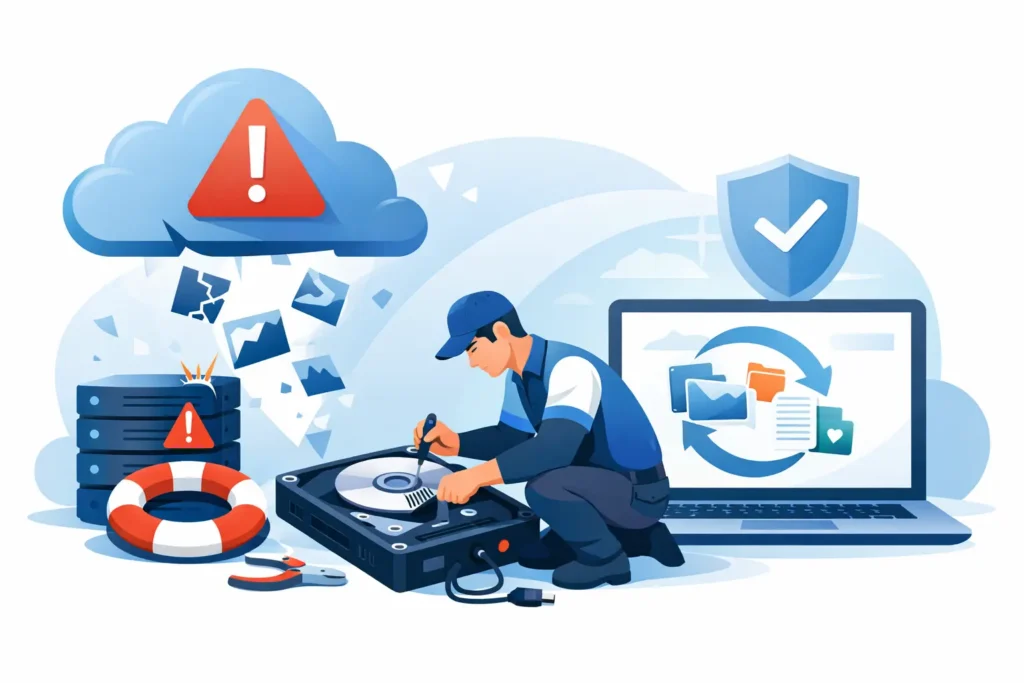
When a drive fails at 4 pm on a Friday, the problem is not abstract. Payroll may be due, a legal deadline may be hours away, or years of family photos may suddenly vanish behind a clicking hard drive or a dead mobile phone. That is when an emergency data recovery service stops being a nice option and becomes the only sensible next step.
Urgency matters in data loss, but panic causes expensive mistakes. The first priority is not to keep trying different cables, rebooting repeatedly, or downloading recovery software in hope. The first priority is to protect the device from further damage and get a proper technical assessment. In many cases, the gap between a successful recovery and permanent loss comes down to what happened in the first few hours.
What an emergency data recovery service actually means
A genuine emergency data recovery service is not just standard recovery with a faster label. It means triage, immediate engineer review, accelerated diagnostics, and a recovery workflow designed around time-critical cases. That can include same-day assessment, out-of-hours handling, priority parts sourcing, and direct communication with technicians who understand both the storage device and the business impact.
This matters because emergencies come in different forms. A RAID failure on a live server is not handled in the same way as a dropped external hard drive. A water-damaged mobile phone requires different treatment from an SSD that has suffered electrical failure. Speed is important, but correct handling is what protects the chance of recovery.
A credible provider should be able to explain the likely fault, the realistic timeframe, the confidentiality controls in place, and whether parts, firmware work, chip-level intervention or cleanroom procedures may be needed. If those details are vague, the service may be more marketing than lab capability.
When you should call for emergency data recovery
Not every data loss case is an emergency, but many become one because people wait too long. If the data is commercially critical, legally sensitive, or personally irreplaceable, urgency is justified.
The clearest cases are physical drive failure, failed SSDs, damaged mobile phones, corrupted CCTV footage, inaccessible NAS units, and RAID arrays that have gone offline after rebuild errors or multiple disk issues. Businesses usually need an emergency response when downtime is actively costing money. Individuals usually need it when the data cannot be recreated – wedding photos, project files, coursework, medical records, or messages tied to a dispute or claim.
There is also a quieter kind of emergency: accidental deletion followed by continued use of the device. On SSDs especially, delay and ongoing activity can reduce recoverability because deleted blocks may be cleaned up by the system. The same applies to formatting mistakes, overwritten memory cards, and laptops that continue running after impact or liquid exposure.
What to do before the device reaches the lab
The right first step depends on the device, but the wrong first step is usually the same – keep powering it on to see if it works this time. If a hard drive is clicking, spinning down, or no longer detected, switch it off. If a mobile phone has been exposed to liquid, do not charge it. If a RAID has dropped offline, do not force rebuilds unless you are completely certain of the failure pattern and the consequences.
DIY tools have their place in low-risk logical deletion cases, but they are regularly misused on physically failing media. Recovery software cannot fix damaged heads, failed controller components, firmware corruption, or unstable NAND behaviour. It can, however, stress a failing device until the original fault becomes worse.
Preserving the device in its current state gives engineers the best starting point. That is why professional recovery begins with diagnosis, not guesswork.
How the emergency recovery process usually works
A proper emergency workflow starts with intake and assessment. The lab identifies the storage type, the failure symptoms, and the likely recovery path. For some devices, engineers can image the media with specialist hardware and then rebuild data structures from the clone. For others, they may need component-level repairs, firmware access, donor matching, or controlled internal work in clean conditions.
For RAID, NAS and server cases, the process can be more complex. The issue may involve parity inconsistency, virtual configuration damage, failed members, or user action taken during a crisis. In those cases, the technical skill lies not only in extracting data from individual drives but in rebuilding the array correctly and validating the data set.
Timeframes vary. Some logical cases may be turned around quickly. A mechanically failed hard drive or a damaged SSD may take longer, even on an emergency basis, because rushing the wrong stage can reduce success. Fast service should never mean careless service.
Why lab capability matters more than promises
Anyone can advertise urgency. Very few can support it with real lab infrastructure, certified handling, and engineers who work across hard drives, SSDs, mobile devices, RAID and forensic-style recoveries.
This is where customers should be sceptical in a healthy way. Ask whether the company has a real lab you can visit. Ask who performs the work. Ask whether they operate secure handling processes and whether your data stays under controlled custody. Ask how quotes are produced and whether there is a no-recovery, no-fee policy.
An emergency case often involves sensitive commercial or personal information. That raises the standard. Speed without confidentiality is not enough. Technical skill without transparency is not enough either. The strongest providers combine both.
For businesses, this is especially important when the lost data includes contracts, HR records, client files, financial records, source material or surveillance footage. For individuals, it may be private photos, messages, identity documents or creative work. In both cases, trust is not a soft factor. It is central to the service.
The trade-off between speed, complexity and cost
Customers under pressure often want one clear answer: how quickly can it be done? The honest answer is that it depends on the fault, the device, and what has happened since failure.
An emergency slot can shorten waiting time dramatically, but some technical stages cannot be skipped. Donor part matching, stable imaging, sector-level cloning, controller work, encrypted file system handling, and RAID reconstruction all take care and judgement. If a provider promises instant results on a severe physical failure without explaining the process, that should raise concern.
Cost also varies with complexity. A deleted file recovery from healthy media is a different job from a physically damaged SSD or a multi-disk business-critical array. What customers should expect is clarity – a proper assessment, a fixed quote where possible, and a direct explanation of what you are paying for. Hidden pricing and vague ranges are a poor fit for emergency work, where decisions must be made quickly.
Choosing the right emergency data recovery service
The right provider will not sell panic. They will reduce it. That means quick response, clear advice, realistic timelines, and evidence that the work is being carried out by qualified technicians in a secure environment.
Look for experience across multiple device types, not just one niche. Many urgent cases involve mixed environments – a failed laptop backed up to an external drive, a NAS storing camera footage, a Mac with a dead SSD, or a mobile phone holding the only copy of a critical conversation. Broad technical capability reduces hand-offs and guesswork.
It also helps to choose a company that removes risk at the point of enquiry. Free assessment, transparent quoting, secure collection, GDPR-aware handling, and no-recovery, no-fee terms are not minor benefits. They are practical signals that the provider understands what customers need when the pressure is on.
That is why specialist labs such as Data Recovery Lab position emergency work around both speed and control. Customers in distress do not just need a hopeful answer. They need a process that is technically sound, commercially fair, and secure from start to finish.
What success looks like in a real emergency
Success is not always about recovering every last file. Sometimes it means extracting the critical folder needed for court, recovering the accounting database before Monday morning, or restoring enough footage to support an insurance claim. In personal cases, success may be a complete photo library or simply the one video that cannot be recreated.
A good lab will speak plainly about those outcomes. They will tell you what is likely, what is uncertain, and what actions give the case the best chance. That honesty matters more than sales language, especially when the stakes are high.
If your device has failed and the data matters, stop using it and get expert eyes on it quickly. The best emergency decisions are usually the calm ones made early.
