
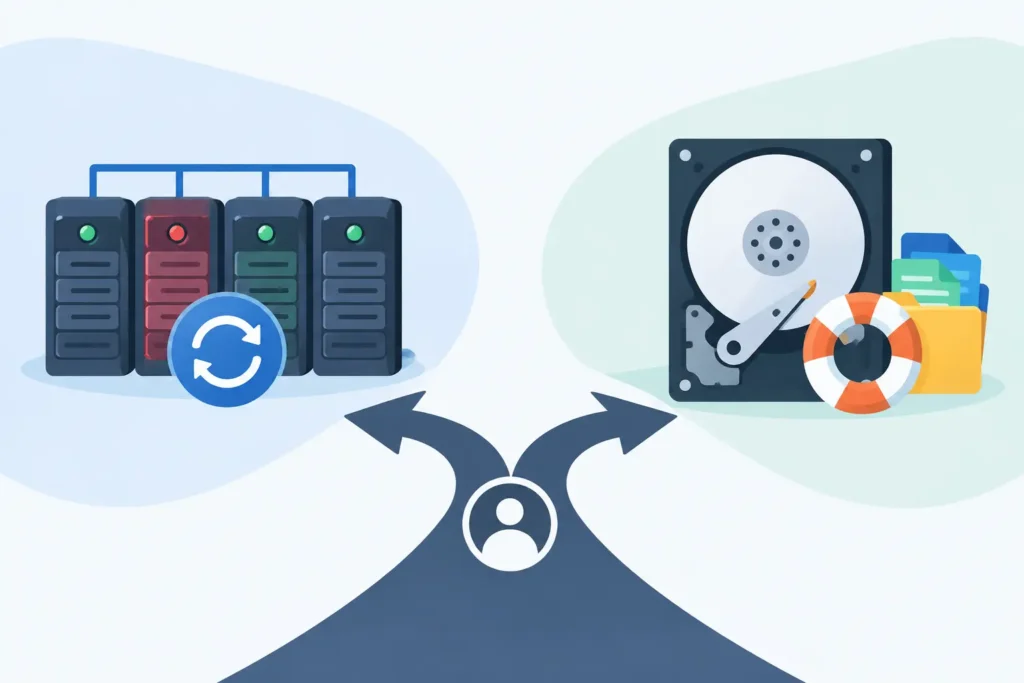
A degraded RAID array can look deceptively manageable: one drive has failed, an alert is flashing, and the controller offers a rebuild button. But the decision between RAID rebuild versus data recovery can determine whether your files return intact or become far harder to recover. A rebuild is not a harmless repair process. It writes data across the remaining drives, and if the array has an undiscovered fault, incorrect configuration or a second weak disk, those writes can overwrite the very evidence needed to restore your data.
For a business, this is not simply an IT maintenance task. It may involve customer records, financial data, legal files, production databases, CCTV footage or years of creative work. For home users and small teams, it may mean irreplaceable photographs and documents. The safest next step depends on the condition of the array, the RAID level, the reason for failure and, most importantly, whether the data is already backed up and verified.
RAID rebuild versus data recovery: the key distinction
A RAID rebuild is an operational process designed to return an array to a protected state after a drive failure. The RAID controller, NAS or server uses redundancy information from the surviving drives to recreate the missing drive’s contents on a replacement disk. In the right circumstances, this is routine maintenance.
Data recovery has a different goal: preserving and extracting accessible data from an array that has failed, become degraded, lost its configuration, suffered multiple disk faults or started producing read errors. Rather than assuming the RAID can safely rebuild itself, a recovery specialist works from forensic copies of the member drives and reconstructs the array logically without placing further stress on the originals.
The difference matters because rebuilding changes the array. Recovery begins by protecting it. If the array is healthy apart from one clearly failed disk and you have a tested backup, a rebuild may be sensible. If there is uncertainty about the condition of the remaining disks or the data is critical, treating the event as a recovery case is usually the safer course.
When a RAID rebuild is usually appropriate
A rebuild can be a reasonable choice when one drive has failed cleanly, the remaining disks show no signs of errors, and the array is operating normally in a degraded state. You should also have a current backup that has been tested by restoring real files, not merely a backup job marked as successful.
This is most common with RAID 1, RAID 5, RAID 6 and some RAID 10 configurations where the redundancy model can tolerate a defined number of failed drives. Even then, the stated tolerance is not a guarantee that a rebuild will succeed. RAID 5 can survive one failed disk, for example, but not a second disk failure or an unreadable sector in a critical part of another member drive during reconstruction.
Before proceeding, confirm that the replacement drive is compatible, correctly sized and suitable for the device. Check the system logs for read errors, time-outs, dropped disks, controller faults and repeated rebuild attempts. A single drive marked as failed is sometimes a symptom of a failing backplane, loose connection, unstable power supply or controller problem. Replacing the drive without identifying the cause can trigger a more serious failure.
A rebuild is also less risky where the affected information is non-critical, readily reproducible and securely held elsewhere. That distinction is essential. RAID redundancy supports availability. It does not replace an independent backup.
When rebuilding can make data loss worse
Stop and reassess if more than one drive has failed, if a second drive is making unusual noises, or if the system reports bad sectors, SMART warnings or I/O errors. Clicking, repeated spin-up attempts and drives disappearing intermittently are physical warning signs, not issues to solve by forcing a rebuild.
Rebuilds place every surviving drive under sustained read load. In arrays built from disks of a similar age and workload, that can expose latent weaknesses. The longer and larger the rebuild, the greater the opportunity for an unreadable area or second device failure to interrupt it.
There are several other situations where rebuilding first is particularly risky:
- The RAID configuration has disappeared after a controller reset, firmware update or accidental reinitialisation.
- Drives have been removed and their original bay order is uncertain.
- The NAS or RAID controller is asking to initialise, format or create a new volume.
- The array contains a virtual machine datastore, database or encrypted volume that is no longer mounting correctly.
- A rebuild was started but halted, or the rebuilt volume now appears empty, raw or corrupted.
In these cases, a rebuild may write new parity, metadata or file system structures across sectors containing recoverable information. The result can be a more complex recovery and, in some cases, a permanent reduction in what can be retrieved.
Why RAID failures are not always drive failures
A RAID system consists of more than disks. Its configuration may include RAID level, stripe size, disk order, start offset, parity rotation, controller settings and file system details. If any of these are wrong, an otherwise healthy set of drives can appear unreadable.
Common incidents include accidental deletion of a RAID volume, NAS firmware faults, failed RAID controllers, power outages, corrupted file systems and human error during disk replacement. A controller can also report a disk as failed when the actual issue is a damaged cable, enclosure or power fault.
This is why replacing every drive or allowing a device to initialise the array can be dangerous. The visible error message rarely tells the whole story. The priority is to preserve the existing state until the failure has been properly assessed.
What to do immediately after a RAID failure
First, avoid repeated restarts. A reboot may force the controller to attempt an automatic rebuild, mark additional disks offline or alter array metadata. If the server remains accessible, stop non-essential applications and document exactly what you see: drive bay positions, warning messages, LED states, controller logs and recent events such as power loss or updates.
Do not remove the drives and mix them up. Label each disk by its physical bay number before moving anything. Disk order is often vital to reconstructing a RAID 0, RAID 5, RAID 6 or RAID 10 array correctly.
Do not initialise, format or create a new array when prompted, even if the interface suggests that this will solve the problem. Likewise, avoid running file system repair tools against the only copy of the data. Such tools can make logical changes that complicate later recovery.
If the data has real operational, financial or personal value, power the system down safely and seek a professional assessment. A specialist will normally examine the drive health and RAID metadata, create controlled sector-level copies where needed, reconstruct the array in a read-only environment and verify the recovered files before returning them.
The business cost of choosing too quickly
The pressure to restore service can make an immediate rebuild feel like the responsible option. For an IT manager, downtime is visible. Yet an unsuccessful rebuild can turn a short outage into a data-loss incident involving missed deadlines, regulatory exposure, reputational damage and expensive reconstruction work.
The better question is not, “Can this array rebuild?” It is, “What is the least destructive way to restore access to the data?” If backups are current and recoverable, rebuilding may minimise downtime. If the backup is incomplete, old or untested, the value of the original data should take priority over speed.
For organisations handling personal, legal, medical or commercially sensitive files, confidentiality also matters. RAID recovery should be conducted with controlled handling, clear chain of custody and secure data transfer arrangements. This is particularly relevant where a failed array contains client records, case material or intellectual property.
How professional RAID recovery protects your options
A proper RAID recovery process does not start by guessing the configuration or repeatedly powering up unstable drives. It starts with assessment. Technicians identify the RAID architecture, inspect member-drive condition and determine whether physical faults, logical corruption or configuration loss are involved.
Where drives are unstable, the usual priority is to capture as much readable data as possible onto working copies. Reconstruction is then performed from those copies, preserving the originals from avoidable stress. The correct disk order, stripe size, parity layout and file system can be tested without writing to the source media.
At Data Recovery Lab, this work is performed in a specialist London lab by certified technicians, with secure handling and a no-recovery, no-fee approach. That matters when a failed RAID contains the only available copy of essential information: the objective is not to make the array look healthy, but to recover the files safely.
A RAID rebuild is valuable when the fault is simple, the array is genuinely healthy and a verified backup exists. When there are multiple warning signs, unclear disk order, controller issues or irreplaceable data, pause before pressing rebuild. Preserving the original array state gives you the strongest possible chance of getting your data back.
