
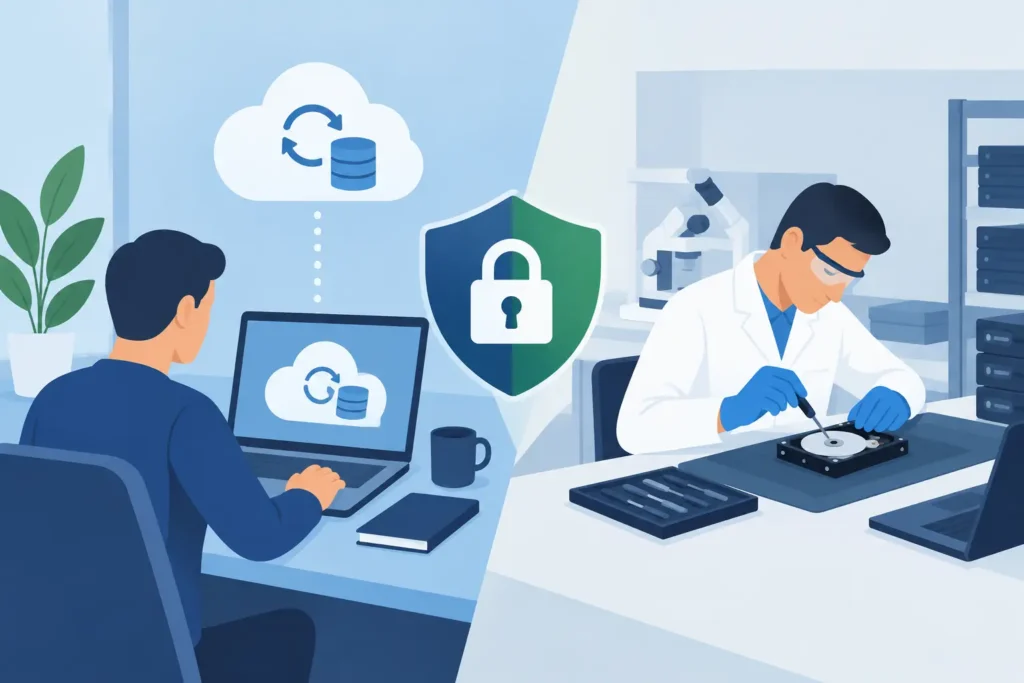
A laptop that will not start, a NAS share that has vanished, or an SSD full of client files that suddenly appears empty creates one urgent question: can the data be recovered without sending the device away? Remote recovery versus lab service is not simply a choice between convenience and inconvenience. The right route depends on whether the problem is logical, physical, encrypted, time-critical, or commercially sensitive.
Remote work can be highly effective in the right circumstances. But attempting it on a failing device can turn a recoverable case into a far harder one. A professional assessment should identify the risk before anybody writes data, runs repair tools, or repeatedly restarts the system.
What remote recovery can realistically do
Remote recovery means a technician accesses a working computer, server or storage system through a secure remote session. The original hardware stays on site while the specialist diagnoses the issue, identifies recoverable files, and guides or performs the recovery process. It is generally most suitable when the device is stable enough to remain powered on and the failure is logical rather than mechanical.
Typical remote cases include accidentally deleted files, emptied recycle bins, corrupted folders, damaged partitions, software crashes, operating system faults and some RAID or NAS configuration problems. If the storage media is readable and a safe destination is available for recovered data, remote work may save valuable time. For a business with an operational server, this can be the quickest way to establish what has happened and contain the disruption.
Remote recovery also has limits that should be stated plainly. A technician cannot repair a seized hard drive motor, replace damaged read/write heads, stabilise an SSD controller, or examine a water-damaged phone through an internet connection. Nor can a remote session safely overcome a device that keeps disconnecting, reports serious read errors, makes clicking sounds, or is no longer detected by the system.
The quality of the connection matters too. Transferring hundreds of gigabytes, or several terabytes from a RAID, can be impractical over a standard broadband line. In those cases, remote diagnosis may still be useful, but the data itself may need to be recovered to local storage or handled in a lab.
When lab service is the safer choice
A physical lab service is designed for media that cannot be treated as a normal, functioning drive. It is the appropriate route where a hard drive has suffered mechanical damage, an SSD has failed electronically, a phone has been physically damaged, or a RAID has multiple failed disks and an unclear configuration.
Hard drives are a clear example. A drive that clicks, spins down, scrapes, or disappears intermittently may have internal head or platter damage. Continuing to power it on can worsen the damage with every attempt to read it. Lab recovery allows technicians to image the media with specialist hardware, control read attempts and, where required, work in a clean environment suitable for internal drive procedures.
Lab work is also usually preferable for severe file-system corruption, encryption complications, malware impact, controller failure and storage devices that are not recognised at all. The objective is not merely to make the device work again. It is to obtain the best possible image of the original media, preserve evidence where necessary, and recover the required files without creating avoidable risks.
For legal, financial, medical and corporate information, physical chain of custody may be just as important as technical capability. A professional lab should document receipt, keep devices securely handled, restrict access to authorised staff and follow GDPR-compliant confidentiality procedures. This matters when the lost data includes employee records, client documents, CCTV footage, contracts, source files or privileged communications.
Remote recovery versus lab service: the key differences
The fastest option is not automatically the safest one. Remote recovery can begin quickly when the system is stable and the data loss is caused by deletion, corruption or a software issue. There is no collection delay, and an IT manager can remain involved throughout the session. For a single deleted folder or accessible server volume, that directness is a real advantage.
Lab service becomes faster in a different sense: it avoids wasting hours on unsafe attempts. If a drive is physically failing, repeatedly running scans remotely may create more bad sectors, put additional strain on the device and reduce the chance of a complete recovery. Sending the device for assessment early can protect the remaining readable data.
Cost should be viewed in the same way. Remote assistance may be more economical for straightforward logical cases, particularly where files are small and the storage is healthy. Complex cases may require dedicated recovery software, long imaging processes, donor components, controller-level work or forensic methods. These are lab-level tasks, and the quote should reflect the actual fault rather than a vague promise of a cheap fix.
Security is another dividing line. A reputable remote provider must use controlled access, clear consent and secure handling for transferred files. Yet some organisations cannot permit sensitive information to be viewed or moved through a remote connection. A secure lab process, with an agreed recovery destination and documented handling, may better meet their internal compliance requirements.
Warning signs that mean stop using the device
The most valuable action after data loss is often restraint. Do not install recovery software onto the affected drive, save new files to it, reformat it, or allow an operating system repair prompt to proceed without advice. Each action may overwrite the very data you need back.
Switch the device off and seek lab assessment if you notice any of the following:
- Clicking, buzzing, scraping or repeated spin-up and spin-down noises from a hard drive.
- A drive, memory card, USB stick or SSD that is no longer detected consistently.
- A burning smell, visible impact damage, liquid exposure or a damaged connector.
- A RAID or NAS with more than one failed disk, an unknown disk order, or a rebuild that has started unexpectedly.
- A system that freezes whenever a particular drive is connected, or reports serious SMART, I/O or read errors.
These symptoms do not guarantee that recovery is impossible. They do indicate that ordinary use and DIY scanning are risky. A device can remain partially readable while degrading rapidly.
How to choose the right route for your case
Start with the condition of the device, not the value of the files. If the storage is healthy, visible and stable, and the problem followed deletion, formatting, a software update or file-system corruption, remote assessment may be appropriate. Ask how the provider will avoid writing to the source device and where recovered data will be placed.
If the device is damaged, inaccessible, unstable or making unusual noises, choose a physical lab. The same applies if the data has high evidential value or cannot leave your control without documented security procedures. For businesses, involve the IT lead before anyone reboots a server, replaces RAID disks or accepts an automatic rebuild.
Ask practical questions before approving any work. Will you receive a clear diagnosis? Is the quote fixed after assessment? Are there fees if no data is recovered? How is confidential information protected? Can the provider explain what recovery method is being proposed in terms you can understand? A credible specialist will answer directly rather than relying on promises of guaranteed results before the media has been examined.
Data Recovery Lab provides free collection and assessment, transparent fixed quotes and a no-recovery, no-fee approach, helping customers make that decision without committing to speculative work. Its visitable London lab and certified technical team are particularly relevant where failed hardware or sensitive business data needs controlled handling.
The decision is about preserving your options
Remote recovery is not a lesser service, and lab recovery is not always necessary. Both have a place. The mistake is choosing based only on what appears quickest at the moment of failure. A stable, logical data loss can often be assessed and resolved remotely. A physically compromised device needs careful lab treatment before further use narrows the recovery options.
If the files are important and the device is behaving differently from normal, stop using it before trying another fix. A calm, early assessment is often the step that protects the data you cannot afford to lose.
