
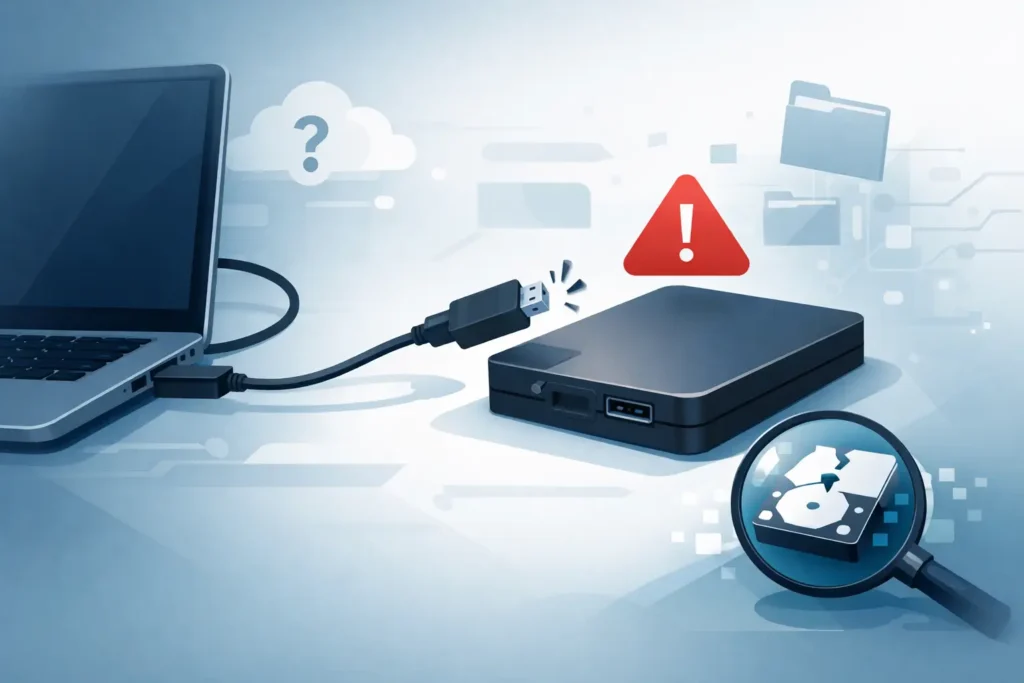
When an external hard drive disappears without warning, the mistake that causes the most damage is usually the next one. People reconnect it repeatedly, try different adaptors, run repair tools, or open the enclosure to see what is inside. If you need external hard drive not recognised recovery, the first priority is not getting the drive to appear again at any cost. It is protecting the data from further loss.
A drive that is not recognised can fail for very different reasons. Some cases are minor and logical, such as file system corruption or a damaged USB bridge board. Others are physical, including head failure, seized spindle motors, firmware corruption, or platter damage. The problem is that these scenarios can look similar to the user. The drive may not mount, may ask to be formatted, may show the wrong capacity, or may not appear at all.
That is why calm, controlled action matters. A drive that is merely inaccessible can often be recovered cleanly. A drive that has been stressed by repeated power cycles or unsuitable software can become a far more complex lab case.
What external hard drive not recognised recovery actually means
In practical terms, external hard drive not recognised recovery means recovering files from a drive that your computer cannot properly detect, mount, or read. That can include several different symptoms.
Sometimes the drive powers on but does not show in File Explorer or Finder. Sometimes it appears in Disk Management or Disk Utility but has no accessible volume. In other cases, the system reports that the drive must be formatted before use, which is a warning sign of corruption rather than proof that the data is gone. A more serious variation is when the drive is not detected even at hardware level, or makes clicking, beeping, or spinning-down noises.
Those details matter because recovery strategy depends on the failure type. A software issue may be handled by creating a stable sector-level clone and rebuilding the damaged file system. A mechanical issue may require cleanroom work, donor parts, firmware intervention, and controlled imaging on specialist hardware. Treating both situations the same way is how recoverable data becomes permanently lost.
The most common reasons an external drive is not recognised
External drives fail at more than one layer. The enclosure, USB cable, power supply, bridge board, file system, firmware, and internal mechanics can all be responsible.
The least severe cases involve the connection path. A damaged cable, unstable USB port, underpowered hub, or failed interface board inside the enclosure can stop a healthy drive from presenting correctly. These faults are often misread as total disk failure, when in fact the underlying storage media is intact.
Logical damage is another common cause. Unsafe ejection, interrupted transfers, malware, power loss, or system crashes can corrupt partition tables and file systems. The drive may still spin normally, but the operating system can no longer interpret the data structure.
Then there are physical failures. These are the cases that demand the most caution. Clicking often points to head or firmware issues. Beeping can indicate spindle seizure or insufficient power. If the drive was dropped, especially while running, internal head and platter damage becomes a serious risk. Continued use after impact can make recovery harder, slower, and more expensive.
Some external drives also include integrated USB boards rather than standard SATA connectors. That design complicates DIY access because the usual shortcut of removing the disk from the enclosure may not be possible or safe.
What not to do if the drive is not recognised
The instinct to keep trying is understandable. It is also one of the main reasons data loss worsens.
Do not initialise the disk if Windows asks. Do not format it just to see whether it starts working again. Do not run CHKDSK, First Aid, or repair utilities on a drive that may have physical issues. These tools can rewrite metadata, mark sectors, and place more strain on unstable hardware. On a failing disk, even a simple scan can push it past the point of safe imaging.
You should also avoid opening the drive enclosure unless you know exactly what you are dealing with. Breaking open the external case is not the same as opening the hard disk itself, but even enclosure removal can damage connectors or void a route to straightforward diagnosis. Opening the actual hard disk outside a proper clean environment is far more dangerous. A single contamination event can be enough to ruin the recording surface.
If the drive clicks, beeps, disappears intermittently, or was physically knocked, switch it off and stop testing. At that stage, the sensible decision is preservation, not persistence.
Safe first checks before professional recovery
There are a few low-risk checks that can help distinguish an enclosure issue from a more serious fault.
Try a different USB cable and a direct connection to the computer rather than a hub. If the drive has an external power supply, confirm that the correct adaptor is being used and that it is stable. Listen carefully to the drive. Normal spin-up followed by silence tells a different story from repeated clicking or a beeping motor.
Check whether the drive appears in Disk Management on Windows or Disk Utility on a Mac. If it shows the correct capacity but the partition is missing or unreadable, the issue may be logical. If it does not show properly at all, or shows zero capacity, the fault may be deeper.
These checks should be brief. They are for observation, not prolonged testing. If the data matters, the goal is to avoid adding wear while gathering just enough information to decide the next step.
When DIY recovery may work – and when it should stop
There are situations where software-led recovery is possible, but only under the right conditions. The drive should be mechanically stable, free from unusual noises, and consistently detected with the correct capacity. Even then, the safest route is usually to clone the disk first and work from the clone rather than the original.
Where people get into trouble is assuming that because the drive powers on, software must be the answer. That is not how hard drive failure works. A disk can identify itself partially while still having failing heads, unstable firmware, or unreadable sectors. Generic recovery software cannot fix that. At best, it wastes time. At worst, it accelerates failure.
If the files are commercially sensitive, legally relevant, or personally irreplaceable, DIY has a narrower place. Saving money matters, but so does avoiding irreversible loss. For businesses, especially, a failed attempt can turn a straightforward recovery into a major incident with downtime, compliance implications, and reputational cost.
How a professional lab approaches external hard drive recovery
A proper lab does not start by guessing. It starts with controlled diagnosis.
The first step is to identify where the failure sits – interface, electronics, firmware, file system, or mechanics. If the issue is in the external enclosure, technicians may bypass or repair that layer to access the native drive safely. If the disk is physically unstable, it is assessed for cleanroom intervention, donor compatibility, and imaging viability.
Professional recovery is built around extracting data with the least possible stress on the media. That often means using specialist hardware imagers that can read around bad sectors, manage unstable heads, and capture a clone in passes rather than trying to force a full read in one go. Once the clone is secured, logical reconstruction begins. File systems, partitions, and directory structures can then be rebuilt from a safer working copy.
Where confidentiality matters, the process should be as strong operationally as it is technically. Sensitive business files, legal documents, client records, CCTV data, creative projects, and family archives all require secure handling. That means controlled lab access, clear chain of custody, and GDPR-compliant procedures, not informal bench work behind a shop counter.
For this reason, many clients choose a real lab with proven technicians over a company that merely forwards devices elsewhere. Data Recovery Lab, for example, positions its service around forensic-grade capability, transparent assessment, and no-recovery, no-fee terms because trust is not a marketing extra in data recovery. It is part of the service itself.
How to judge your chances of recovery
Recognition failure does not automatically mean the drive is beyond repair. In many cases, recovery prospects are good, especially if the device has been switched off early and not subjected to repeated DIY attempts.
The best outcomes usually come from drives with interface faults, minor logical corruption, or early-stage physical issues caught quickly. The risk rises with severe impact damage, platter scoring, fire, liquid exposure, or drives that have been powered on repeatedly after clear warning signs.
Timing matters. So does restraint. Two users can start with the same fault and end up with very different results based purely on what happened in the first hour.
If your external hard drive is not recognised, treat it as a preservation problem before it becomes a recovery emergency. The right next step is the one that gives your data the best chance of coming back intact, not the one that feels quickest in the moment. When the files matter, caution is not overreaction. It is the reason recoveries succeed.
