
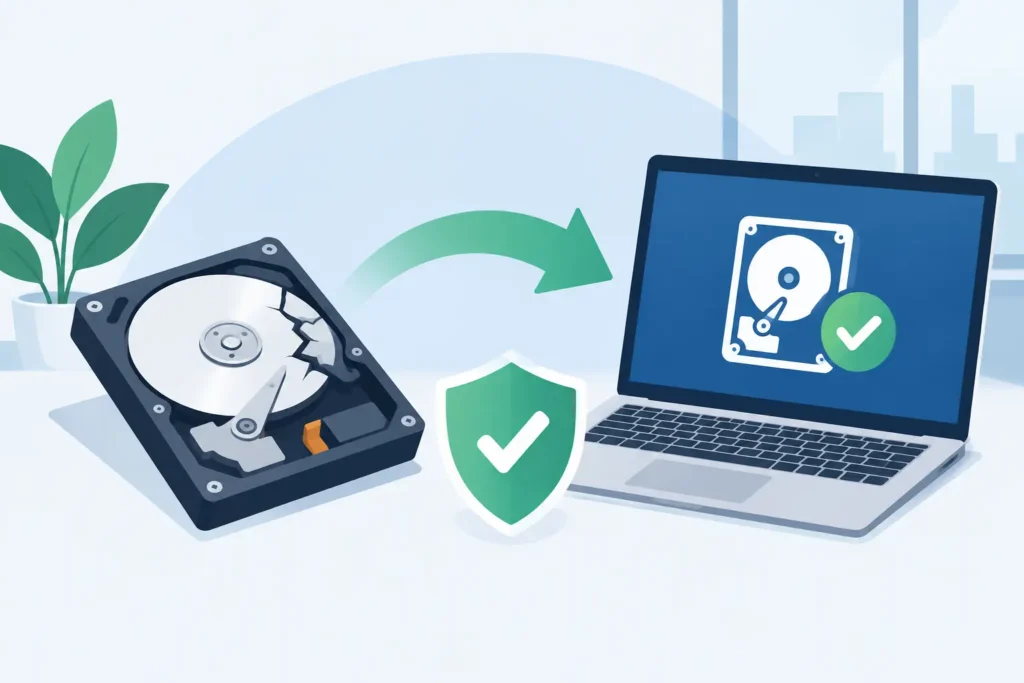
A laptop that will not start, a RAID array showing degraded volumes, or a phone reset by mistake creates the same urgent question: is recovery guaranteed? The honest answer is no reputable recovery laboratory can guarantee that every file from every failed device will be recovered. What a professional lab can guarantee is a controlled, expert assessment, clear communication and no false promises before work begins.
That distinction matters. Data loss is not one problem with one outcome. A deleted folder, a mechanically damaged hard drive, a failing SSD and an encrypted NAS system each present different technical barriers. The best chance of recovery depends on what happened, what has been done since, and whether the device is handled correctly from the first moment.
Is Recovery Guaranteed? The Straight Answer
Recovery is never guaranteed before a specialist has examined the device and established the condition of the storage media. Anyone offering a blanket promise without diagnostics cannot know whether the data area is still readable, whether the internal components have suffered physical damage, or whether encryption keys remain available.
A credible provider should instead give you a transparent process. The device is assessed, the fault is identified, recoverable data is evaluated, and you receive a fixed quotation based on the work required. Only then can the laboratory give an informed view of the likely outcome.
This is not evasive language. It is technical reality. Even devices that appear completely dead can sometimes yield an excellent recovery, while a working drive may have silently overwritten the files that matter most. An upfront guarantee of success is often less reassuring than it sounds because it ignores the evidence inside the device.
For customers, the more useful protection is a no-recovery, no-fee arrangement. It means you are not asked to pay a recovery fee simply because a technician spent time attempting work where the required data could not be retrieved.
What Determines Whether Your Data Can Be Recovered?
The condition of the device is central, but it is not the only factor. The timeline after data loss can be just as significant. Continuing to use a drive, reinstalling an operating system, recording new CCTV footage or saving fresh files to a memory card can overwrite data that was initially recoverable.
The type of data loss
Accidental deletion and formatting often leave data physically present until it is overwritten. In these cases, recovery may be highly achievable, particularly if the device was taken out of use immediately. However, modern systems can complicate this picture. SSDs commonly use TRIM, a command that can clear deleted blocks rapidly. Mobile devices may encrypt data automatically, making access dependent on the phone’s condition and its security credentials.
File-system corruption is different again. A disk may contain the data but be unable to present it normally because directory structures, partition tables or metadata have been damaged. Specialist tools and manual reconstruction can often identify files, but original filenames and folder structures are not always preserved.
Physical failure requires a separate approach. A hard drive that clicks, spins down, or is no longer recognised may have damaged heads, firmware faults or platter damage. It should not be repeatedly powered on. Each attempt can make a recoverable fault worse, especially where damaged heads are touching the platter surface.
The device and its technology
Traditional hard drives, SSDs, USB sticks, SD cards, phones, Macs, NAS units and RAID arrays do not fail in the same way. A hard drive may allow controlled imaging once stabilised in a cleanroom environment. An SSD can fail without warning because of controller faults, degraded NAND memory or firmware problems, and may require advanced chip-level or controller-level work.
RAID and NAS recovery introduces an additional layer: the data may be distributed across several disks, with a particular stripe order, parity rotation and configuration. Replacing drives, rebuilding an array or allowing a NAS to initialise can alter the original state. The job is not merely to retrieve files from one disk but to reconstruct the array accurately before extracting them.
Encryption also changes expectations. If the encryption is intact and the required key, password or recovery information is available, data may still be recoverable from failing hardware. If the key material has been lost or cryptographically erased, no laboratory can honestly promise to bypass strong modern encryption.
The severity of the damage
Not all physical damage is visible. Water exposure can corrode components over time. Fire and impact can affect the drive’s electronics, internal alignment and media surface. A device that has been opened outside a suitable clean environment may be contaminated by dust, fingerprints or moisture.
Severe damage does not automatically mean failure. It does mean the margin for error is smaller. A forensic-grade laboratory has the equipment, controlled processes and experienced technicians needed to inspect and stabilise sensitive media without treating it like a routine computer repair.
Why DIY Attempts Can Reduce the Odds
When the missing files are important, understandable panic often leads to the wrong next step. Free recovery software is not inherently bad. It can be appropriate for a simple deletion on a healthy, secondary drive where the user has stopped writing data and accepts the risk. It is not appropriate for every situation.
Do not run software against a clicking hard drive, a drive that disconnects, a device asking to be formatted, or a RAID system with multiple failed members. Do not install recovery software onto the same drive that contains the lost files. Avoid repeated restarts, operating system repairs, firmware updates and improvised fixes found online.
Common actions that can reduce recoverability include:
- Continuing to use the affected device or saving new data to it.
- Reformatting, repartitioning or reinstalling the operating system.
- Initialising or rebuilding a RAID or NAS before its configuration is documented.
- Opening a hard drive outside a controlled cleanroom environment.
- Sending a physically failed device to a general repair shop that lacks data recovery capability.
The safest immediate response is simple: switch the device off if it is physically failing, do not write to it, and keep it secure. Make a note of what happened, including error messages, unusual sounds, recent power loss and any previous recovery attempts. Those details help technicians choose the least invasive route.
What a Professional Assessment Should Tell You
A proper assessment should replace uncertainty with useful facts. You should learn whether the storage media is stable enough to image, whether physical intervention is needed, whether the file system can be rebuilt, and whether the specific files you need are present.
For business cases, the assessment should also account for priorities. An IT manager may need a virtual machine, finance database or current project folder ahead of the rest of the volume. A legal team may require strict chain-of-custody handling. A photographer may care most about original RAW files and catalogue data. Recovery is more valuable when the laboratory knows what successful output looks like for you.
Confidentiality is not an optional extra. Personal photographs, client records, medical documents, commercially sensitive designs and CCTV footage require secure handling throughout collection, assessment, recovery and return. GDPR-compliant procedures and a real laboratory operation provide accountability that an anonymous online intermediary cannot.
A Successful Recovery Is More Than Getting a Drive Back
A device being recognised again is not the same as a successful data recovery. The meaningful test is whether the files you need can be opened, are complete and are delivered on suitable replacement media. Video recovery, for example, may involve rebuilding corrupted recordings so that footage plays correctly rather than simply extracting unusable fragments.
Recovery outcomes can also be partial. A lab may retrieve most documents but not the newest files in a damaged area of the disk. It may restore photographs while some video clips remain incomplete. That is why experienced technicians verify recovered data and explain limitations clearly rather than describing every result as an all-or-nothing success.
Data Recovery Lab approaches each case with this evidence-led standard: assess the media first, protect the original device, identify the best recovery path and keep the customer informed. The goal is not to sell certainty where none exists. It is to give critical data its strongest possible chance of being returned safely.
If the files are valuable, treat the first few hours after failure as part of the recovery itself. Stop using the device, preserve its condition and seek an expert assessment before an avoidable action turns a difficult recovery into an impossible one.
