
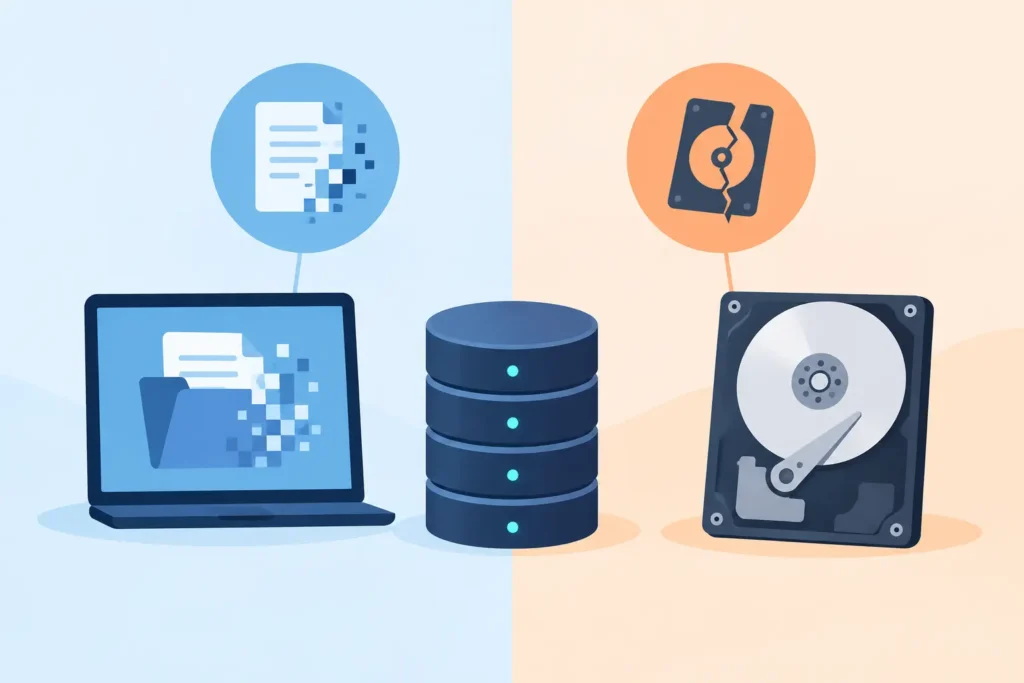
A laptop that will not start, a hard drive making a clicking sound, or a folder that has suddenly vanished can feel like the same crisis. Technically, however, logical versus physical data loss describes two very different failures. Knowing which one you are facing can prevent an avoidable mistake, protect the original device, and materially improve the chance of recovering what matters.
The distinction is not always obvious from the outside. A drive may appear empty because its file system is damaged, even though the files remain on the storage media. Equally, an apparently minor fault can become physical damage if a failing hard drive is repeatedly powered on. This is why the first response matters as much as the recovery method.
What is logical data loss?
Logical data loss means the device’s physical storage components are broadly intact, but the data cannot be accessed normally. The problem sits in the file system, partition structure, operating system, encryption layer, or the way the information has been recorded and indexed.
Common examples include accidental deletion, an emptied Recycle Bin, a formatted memory card, a corrupt Windows or macOS volume, malware damage, a failed software update, and a RAID or NAS configuration that has been changed incorrectly. A phone may also suffer logical loss after a factory reset, an interrupted update, or database corruption affecting messages, photos or app data.
Deletion does not usually erase a file in the moment. In many cases, the operating system simply marks the space it occupied as available for reuse. Until new data overwrites that area, recovery may be possible. Formatting can work similarly, depending on the type of format, the device and what has happened since.
That does not mean logical loss is simple. Modern SSDs, smartphones and encrypted Macs handle deleted data differently from traditional hard drives. SSD TRIM commands can clear blocks quickly, while encryption may make a technically readable drive useless without the correct keys. RAID recovery may require careful reconstruction of disk order, stripe size and controller settings. The data may still exist, but the route back to it demands specialist analysis.
Signs the problem may be logical
A device that powers on, appears in Disk Management or Finder, and does not make unusual mechanical sounds may have a logical fault. You may see prompts to format a drive, a message saying the disk is unreadable, missing partitions, folders with strange names, files that will not open, or a NAS volume that has gone offline after a configuration issue.
These signs are not a diagnosis. A drive can show as connected while suffering early physical failure, and corrupted files can result from bad sectors. Treat any change in behaviour as a reason to stop using the device rather than as an invitation to keep testing it.
What is physical data loss?
Physical data loss occurs when the storage device itself has suffered mechanical, electrical or component-level damage. This is common with hard drives after a drop, power surge, liquid exposure, age-related wear or sudden failure. It can also affect SSDs, USB drives, memory cards, phones, NAS units and CCTV recorders, although the failure patterns differ by technology.
A conventional hard drive contains spinning platters and precision read/write heads operating at extremely small tolerances. If it is dropped while running, the heads can contact the platter surface. If a component fails, the drive may click, spin down, grind, beep or fail to spin at all. Repeated power cycles in this state can turn a recoverable fault into permanent media damage.
SSDs have no moving parts, but they are not immune to physical failure. Their controllers, NAND chips, power-management circuitry and firmware can fail without warning. An SSD may disappear from the computer, report the wrong capacity, become read-only or stop responding entirely. A USB stick or memory card can fail because of a damaged connector, broken circuit board or worn flash memory.
Signs that require immediate caution
Physical failure should be suspected when a device has been dropped, exposed to water or heat, smells burnt, fails to power up, disconnects repeatedly, shows a capacity of zero, or makes unfamiliar noises. Clicking and beeping from a hard drive are particularly urgent warning signs.
Do not open a hard drive, freeze it, tap it, replace parts from another drive, or run repair software against it. Internet fixes may sound persuasive, but they can contaminate platters, damage fragile components, overwrite recoverable structures or place extra strain on failing media. Professional recovery work may require cleanroom handling, donor components, controlled imaging equipment and firmware-level tools.
Logical versus physical data loss: why the difference matters
The recovery approach is determined by the condition of the device, not simply by the symptom you can see. Logical recovery normally starts with a controlled sector-by-sector image of stable media. The specialist works from the copy, preserving the original device and analysing its file structures without writing back to it.
Physical recovery starts by stabilising the device. On a hard drive, that may involve resolving a head, motor, PCB or firmware issue before any attempt to read user data. On flash storage, it may require component-level repair or extraction and reconstruction of raw NAND data. Only after the device can be read safely does logical reconstruction begin.
The two categories can overlap. A hard drive with weak heads may create unreadable sectors that corrupt a file system. A corrupt RAID may have one member disk with genuine mechanical damage. An external drive that was formatted accidentally may also have an unstable USB bridge or failing sectors. Reliable assessment separates these issues rather than assuming there is one simple cause.
This distinction also affects cost, turnaround time and likely outcome. A straightforward deleted-file case on a healthy hard drive can be less complex than a mechanically failed drive requiring cleanroom work. Yet a severe logical case involving encryption, overwritten blocks or a multi-disk RAID can be highly demanding. No reputable recovery provider should promise a result before examining the media and understanding what has happened.
What to do before recovery becomes harder
If the data has value, stop using the affected device immediately. Do not install recovery software on the same drive, save new files to it, initialise it, run CHKDSK, accept a format prompt or rebuild a RAID volume. Each action can alter the evidence a specialist needs.
For a hard drive making noise or failing to mount, switch it off and leave it off. For a phone or laptop affected by liquid, do not attempt repeated charging or powering on. Remove it from the power source where safe to do so and arrange professional assessment. For a NAS or RAID, label each drive in its current bay order before disconnecting anything. Disk order can be critical to reconstruction.
Keep a brief record of what happened: whether there was a drop, power cut, update, deletion, encryption event or error message; when the fault first appeared; and whether anyone has attempted repairs. This information helps technicians choose the least invasive route to the data.
When professional recovery is the sensible choice
DIY software has a place when a healthy secondary drive has suffered a simple deletion and the data is not business-critical. Even then, recovery should be saved to a different device. The moment there are noises, disconnections, physical damage, encryption complications, an SSD fault, a RAID issue or irreplaceable data, the risk calculation changes.
For business records, legal material, client data, creative projects and family archives, the priority is preserving the best possible recovery opportunity while maintaining confidentiality. A specialist lab can assess whether the loss is logical, physical or mixed, explain the evidence clearly and provide a fixed quote before work proceeds. Data Recovery Lab applies a no-recovery, no-fee approach, with secure handling and professional lab assessment for cases where the stakes are high.
If the drive is still in your hands, its condition is still part of the recovery outcome. Stop experimenting, keep it safe from further damage, and let the next action be a measured one rather than a desperate one.
