
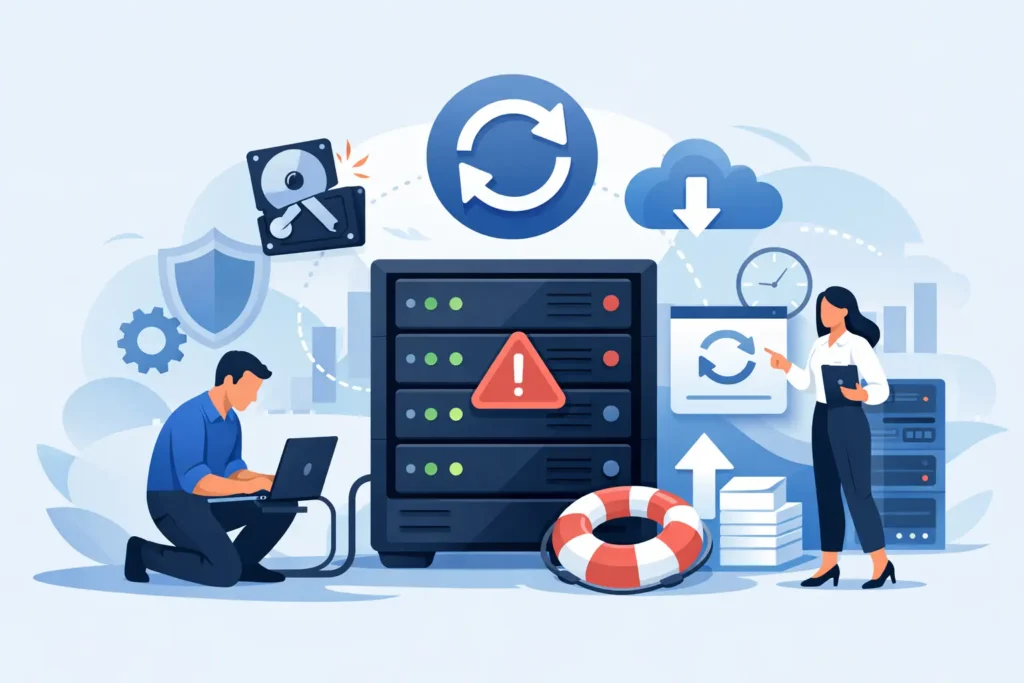
When a RAID goes down, the damage is rarely limited to storage. Orders stall, accounts teams lose access, projects freeze, and the pressure lands on whoever is expected to fix it. This business RAID recovery guide is written for that exact moment – when you need clear decisions, not guesswork.
RAID is often treated as a safety net, but it is not a backup. It improves availability and, in some configurations, fault tolerance. It does not protect against deletion, corruption, controller failure, multiple disk faults, ransomware, failed rebuilds, or human error during troubleshooting. That gap is where many business losses become much worse than they needed to be.
What a business RAID recovery guide should help you decide
The first job is not recovery software. It is risk control. Before anyone starts swapping drives, forcing arrays online, or reinitialising hardware, you need to work out what has actually failed and how much room there is for error.
A business RAID failure usually falls into one of four categories. There may be a physical disk issue, such as bad heads, media damage, SSD degradation, or unreadable sectors. There may be a logical problem, where the data is intact but the file system, partitioning, or metadata is damaged. There may be a controller or NAS fault, where the disks are healthy but the system that presents the array has failed. Or there may be a compounded event, which is where most serious losses happen – one failed drive followed by a rebuild, another unstable drive, and then corruption introduced by repeated restarts or well-meant DIY work.
For a business, the distinction matters because the right next step depends on the failure type. The wrong action can turn a recoverable case into permanent loss.
First response in a RAID data loss incident
If the data is valuable, stop using the array immediately. That includes stopping rebuild attempts, scheduled jobs, virtual machines, synchronisation tasks, and any software that writes to the affected volume. Continued activity can overwrite metadata, strain weak drives, and reduce recovery chances.
Next, document everything. Note the RAID level, NAS or server model, number of drives, slot order, any recent alerts, unusual noises, SMART warnings, controller changes, and whether anyone has already tried to rebuild the array. Take photos of the drive layout before removing anything. In RAID recovery, small details are not administrative extras. They can determine whether a technician can reconstruct the array correctly.
If one or more drives are clicking, spinning down, not being detected, or showing severe read instability, do not keep powering them up to see if they come back. Repeated attempts often worsen head or media damage. If the array has already gone offline after a rebuild or after replacing a drive, stop there. Many business RAID cases become more complex because someone assumes one more attempt will bring the volume back.
Common RAID failure scenarios in business environments
RAID 1 and RAID 10 are often seen as safer because of mirroring, but they are not immune to trouble. If one side of the mirror carries corruption, deletion, or ransomware-encrypted data, the other side may mirror that state faithfully. In RAID 10, drive order and pairing also matter. A simple assumption about which disks belong together can derail recovery.
RAID 5 remains common in small business servers and NAS units because it offers a balance of capacity and redundancy. Its weakness appears during rebuilds. Once one drive has failed, the remaining drives are under stress. If a second disk has unreadable sectors or weak performance, the rebuild can fail and the array can become inaccessible. This is one of the most frequent causes of urgent business recovery requests.
RAID 6 offers more tolerance, but it is not a guarantee. Two-disk fault tolerance sounds comfortable until firmware bugs, incorrect rebuilds, controller faults, or silent corruption are involved. Large-capacity arrays also take longer to rebuild, increasing the exposure window.
NAS and SAN environments add another layer. Sometimes the drives are fine, but the issue sits in firmware, cache, virtual volume mapping, or the host configuration. In those cases, replacing disks at random is not just unhelpful – it can make a clean logical recovery much harder.
When DIY RAID recovery is reasonable and when it is not
There are limited cases where internal IT teams can safely do initial checks. If the problem is clearly isolated to a failed power supply, a bad network path, or a non-destructive configuration issue, a cautious diagnosis may be appropriate. If current backups are verified and complete, the decision may be to restore rather than recover.
That said, RAID recovery is not a normal troubleshooting task when the data exists in one place only. Software tools can be useful for imaging stable disks and reconstructing metadata in controlled conditions, but they are not magic. They depend on healthy source media, accurate parameters, and careful handling. They also do not fix physical faults.
DIY becomes a bad risk when drives show physical symptoms, when the array was rebuilt unsuccessfully, when several disks have issues, when encryption or virtualisation is involved, or when the business cannot afford a second failure. If the stakes include legal records, financial systems, CCTV evidence, creative work, or live operational data, the cost of getting it wrong usually outweighs the cost of specialist intervention.
Why professional RAID recovery is different
A proper lab-led approach starts with preserving the source. That usually means imaging each member disk sector by sector, dealing with unstable drives carefully, and avoiding unnecessary writes to the originals. From there, technicians analyse RAID parameters such as stripe size, parity rotation, disk order, offsets, and file system structure. This is precise work. Guessing may produce a mountable volume, but not necessarily a correct or complete one.
Business cases also require more than technical skill. Confidentiality, chain of custody, and predictable communication matter. If the lost data includes HR files, contracts, financial records, client information, or regulated material, you need a provider that handles sensitive information properly and can explain what is happening at each stage.
This is where a specialist lab such as Data Recovery Lab is built to reduce risk. The difference is not just equipment. It is forensic-grade process, experienced RAID technicians, secure handling, and the discipline to assess the case before attempting recovery.
Questions to ask before choosing a RAID recovery provider
Businesses under pressure often pick the first company that answers the phone. That is understandable, but not always wise. Ask whether the provider has a real lab, whether diagnostics are performed in-house, whether they handle RAID and NAS cases routinely, and whether physical recoveries are done under controlled cleanroom conditions when required.
Ask how pricing works. Transparent fixed quotes after assessment are very different from vague ranges that expand later. Ask about confidentiality and GDPR handling. Ask whether there is a no-recovery, no-fee policy. Ask what information they need from you and how quickly they can begin work, especially if the case is operationally critical.
You should also pay attention to what they do not say. If a provider promises success before assessment, downplays the risks of rebuild attempts, or cannot explain their process clearly, treat that as a warning sign.
How to reduce the chance of future RAID emergencies
The hard truth is that many RAID disasters are preventable. Not all of them, but enough to justify a review once the immediate crisis is over. Backups need to be separate, tested, and protected from the same failure domain as the RAID itself. Snapshots help with accidental deletion and some corruption events, but they do not replace offline or immutable backup strategy.
Drive health monitoring is useful, though it is not perfect. SMART alerts, bad block trends, and controller warnings should trigger attention early, not after a second drive starts failing. Firmware updates need care and planning. Rebuilds should be monitored closely. Most importantly, staff should know that RAID is an availability tool, not a complete data protection strategy.
For businesses running ageing arrays, migration planning matters too. Old disks, long rebuild times, and deferred maintenance create exactly the conditions in which recoveries become urgent and expensive. Replacing hardware before it fails is far less disruptive than trying to reconstruct a damaged array while the business waits.
The business RAID recovery guide point most teams learn too late
The biggest mistake is treating a RAID outage as a standard IT inconvenience. It is a data preservation event. The first hour matters because every restart, rebuild, and write attempt can change the condition of the source.
If your RAID has failed, slow the process down. Protect the disks, record the configuration, and make decisions based on evidence rather than hope. Fast action matters, but careful action matters more. When the data is central to your business, the safest move is often to stop experimenting and put the case in the hands of a team built for recovery.
