
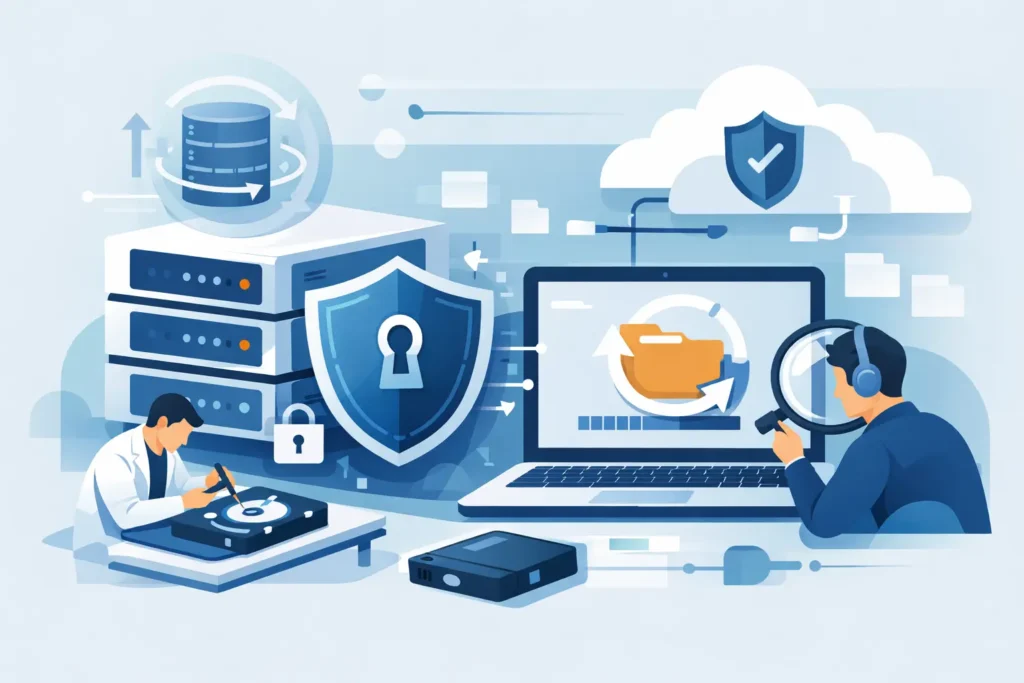
A failed drive rarely arrives at a convenient moment. It lands in the middle of payroll, litigation, coursework, client deadlines, or the realisation that years of family photos may have vanished. In those moments, the secure data recovery process matters just as much as the recovery itself. Getting files back is one part of the job. Protecting confidentiality, preserving evidence, and preventing further damage are equally critical.
Too many people only think about security after they have handed over a device full of contracts, passport scans, medical records, source code, CCTV footage, or private messages. By then, the standard of the provider is already the risk. A professional recovery service should treat your data as sensitive from the first phone call to the final return of recovered files.
Why the secure data recovery process matters
Data loss is stressful, but urgency should not push you into a poor decision. A rushed handover to an unverified provider can turn one problem into three – permanent device damage, compromised personal data, and no clear accountability if anything goes wrong.
For private clients, the issue is usually personal exposure. Mobile phones, laptops and external drives often hold identity documents, financial information, family media and years of correspondence. For businesses, the stakes are broader. A failed server, RAID array or SSD may contain customer data, HR records, legal files or commercially sensitive information. In some cases, the handling of that data has regulatory consequences as well as operational ones.
That is why a proper lab does not just promise technical skill. It should also be able to explain how devices are logged, who can access them, how recovered data is stored, and how files are returned securely. If those answers are vague, that is a warning sign.
The secure data recovery process from start to finish
A secure recovery procedure is not one single action. It is a chain of controlled steps, each designed to reduce risk.
1. Intake and identification
Security starts before any engineer opens a device. A legitimate service should record the make, model, serial number and reported fault, then assign the case a unique reference. This creates accountability from the outset. If your device changes hands internally, there should be a clear record of where it is and who is responsible.
This first stage also matters for confidentiality. Clients should know what information is required, how it is stored, and who can view it. For business and legal matters, chain of custody can be especially important. If the device may later be used in a dispute, the intake process must be disciplined and documented.
2. Safe transport and controlled handling
A recovery provider should not treat transport as an afterthought. Packaging, collection procedures and handling standards all affect the outcome. A hard drive with internal damage can deteriorate further if it is badly packed or repeatedly powered on during casual testing.
Once the device reaches the lab, access should be restricted. Sensitive devices should not sit on an open bench in a shared office. They should be handled in a real technical environment by trained staff using controlled procedures. That distinction matters more than many clients realise.
3. Assessment before intervention
A secure data recovery process includes diagnosis before action. That means confirming whether the fault is logical, electronic, firmware-related or mechanical, and choosing the least invasive method that gives the best chance of success.
This is where poor providers often expose themselves. Some jump straight into recovery attempts without proper assessment, or they use generic software against failing media that should never be scanned in that way. On a degraded SSD or damaged hard drive, the wrong first move can reduce the amount of recoverable data.
A careful lab will assess the condition of the media, estimate the recovery path and explain the likely outcome. Sometimes the correct answer is a non-invasive extraction. Sometimes it requires cleanroom work, donor components or specialist tools. It depends on the failure type, the storage technology and whether previous attempts have already made the case more difficult.
4. Controlled recovery in the right environment
Not every case needs physical repair, but when internal components are involved, the environment is decisive. Traditional hard drives with head or platter issues may require cleanroom conditions to avoid contamination. RAID and NAS cases need methodical reconstruction rather than guesswork. Smartphones, encrypted devices and damaged SSDs often require specialist workflows that go well beyond standard software.
Security at this stage is both physical and digital. Physical, because the device must be protected from contamination, mishandling and unnecessary intervention. Digital, because recovered data should not be copied loosely across unsecured systems or accessible to anyone not working on the case.
A serious lab uses forensic-grade methods where appropriate, controlled workstations, and procedures that limit unnecessary exposure of client data. This is especially important in cases involving legal documents, corporate records, medical files or private imagery.
Confidentiality is not a marketing extra
Clients often focus on whether the files can be recovered. They should also ask how their files are protected during the work. Confidentiality should be built into the service, not added as a reassuring phrase on a sales page.
That means clear internal controls, GDPR-aware handling, secure storage of extracted data and disciplined communication. Engineers do not need to browse through private folders to confirm a successful result. In most cases, file verification can be handled with minimal data exposure, targeted checks and sensible restrictions.
For organisations, this point is even sharper. If a provider is handling employee records, customer information, legal evidence or financial data, the recovery process must align with internal compliance expectations. Not every recovery company is equipped for that level of responsibility.
What clients should ask before approving recovery
A trustworthy provider should be comfortable answering direct questions. Ask where the work is carried out, whether the lab is a real physical site, how devices are tracked, how recovered data is returned, and what happens to your data after the case closes.
You should also ask whether they offer a fixed quote after assessment, whether they operate on a no-recovery, no-fee basis, and whether emergency handling is available if time is critical. Security and transparency often go together. If pricing is opaque, procedures are vague and the location is unclear, confidence should be low.
One more practical point – ask whether they outsource difficult cases. Outsourcing is not always wrong, but it changes the security picture. If your device or data is being passed to a third party, you should know that before you agree.
When speed matters, process still matters
Emergency cases create pressure. A business may need a RAID rebuilt quickly to restore operations. A solicitor may need access to case files before a hearing. A production company may need footage recovered before a delivery date. Speed is valuable, but not if it strips out controls.
A good lab knows how to move quickly without becoming careless. That usually means priority diagnostics, direct communication, experienced technicians and clearly defined handling procedures. Fast does not have to mean chaotic. In fact, the most dependable emergency services are usually the most structured.
This is where an established specialist such as Data Recovery Lab stands apart from virtual-office operators and general repair shops. Experience, lab capability, secure handling and transparent terms are not separate benefits. Together, they form the conditions for a recovery that is both successful and safe.
The trade-off between DIY attempts and data security
There are situations where software recovery is reasonable – for example, a simple deletion on a healthy device that has not been used afterwards. But many clients misjudge the fault. What looks like accidental deletion may actually be file system damage, early hardware failure or controller instability.
DIY attempts can also create security issues. People install unverified software, connect failed drives to multiple machines, or copy sensitive data through consumer apps without thinking about where that information ends up. If the device contains confidential business records or private personal material, that approach can introduce unnecessary exposure as well as technical risk.
When the data is valuable, the safer option is usually to stop using the device and get a professional assessment first. That is not fear-based advice. It is simple damage control.
What a secure result looks like
A secure result is more than a folder of recovered files. It means the device was handled professionally, the data remained confidential, the findings were communicated clearly, and the return method matched the sensitivity of the case. It also means there is a sensible policy for what happens next – whether recovered data is stored briefly for verification, then deleted in line with agreed procedures.
That level of care is what clients should expect, not hope for. If a provider can recover data but cannot explain how they protect it, the job is only half done.
When your files matter, security should not be treated as an upgrade or a nice extra. It should be built into every stage of the work, quietly, consistently and without compromise. That is the standard worth insisting on before your device leaves your hands.
