
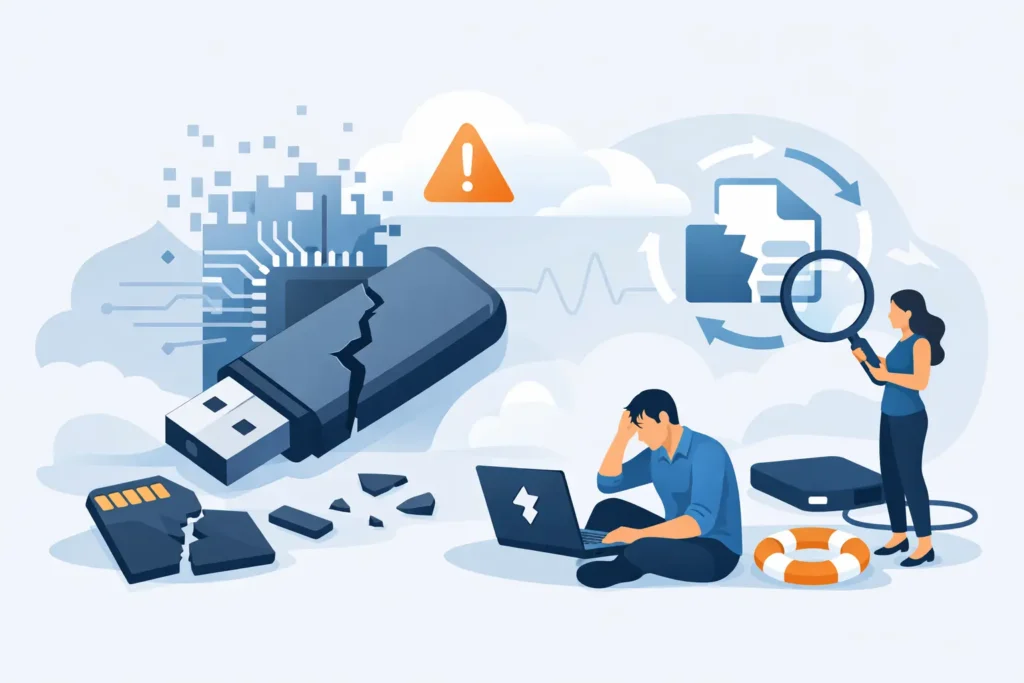
A USB stick that suddenly asks to be formatted, a camera card showing no images after a shoot, or an SSD that vanishes from a laptop can put irreplaceable files at immediate risk. Flash recovery is the specialist process used to retrieve data from flash-based storage when normal access has failed. The next action matters: continued use, repeated repair attempts or formatting can reduce the amount of recoverable data.
Flash devices do not fail in the same way as traditional hard drives. There are no moving platters or read heads, but there are memory chips, controllers, firmware, encryption routines and complex file-system structures. A device that looks physically intact may still require forensic-level analysis before files can be reconstructed safely.
What is flash recovery?
Flash recovery is the extraction and reconstruction of data from NAND flash memory. This storage technology is used in USB drives, SD and microSD cards, SSDs, smartphones, tablets, dashcams, drones and many embedded devices.
On a working device, the controller manages where every piece of data is written. It spreads wear across memory cells, corrects errors and translates the information stored on the chips into files your computer can understand. When the controller, firmware or memory itself fails, the data may still exist on the chips but be inaccessible through normal means.
Professional recovery can involve creating a controlled image of the device, repairing logical damage, rebuilding file-system records or reading memory chips directly. The right route depends on the failure. There is no single software tool or universal fix that works safely in every case.
The warning signs that demand caution
Flash storage often gives little warning before it fails completely. A card may work one moment and show as empty the next. An SSD may stop appearing in BIOS. A USB drive may report a capacity of zero bytes, disconnect repeatedly or become unusually hot.
Common symptoms include files that have disappeared, folders renamed with strange characters, a request to format the device, an error stating that the media is unreadable, or a device that is not detected at all. On cameras and phones, you may see missing thumbnails, recording errors or a message that storage is damaged.
These symptoms can result from accidental deletion, corruption after unsafe removal, counterfeit media, failing NAND cells, electrical damage, liquid exposure or controller failure. The visible error does not always identify the underlying cause. Treating a hardware fault as simple corruption, for example, can turn a recoverable case into a more difficult one.
What to do immediately after flash storage fails
Stop using the device as soon as you notice a problem. Do not take more photographs on the card, save new files to the USB drive or install recovery software on the affected SSD. Flash memory can overwrite or internally reorganise data quickly, especially when the device remains powered.
Avoid the common prompts to format, scan and repair. Windows and macOS are designed to make storage usable again, not to preserve evidence or maximise recovery prospects. A repair operation can change file-system structures that a specialist would otherwise use to rebuild directories, names and timestamps.
If the data is valuable, follow four simple precautions:
- Disconnect the device safely and keep it dry, protected and clearly labelled.
- Do not open the casing, heat the device, freeze it or attempt a soldering repair.
- Do not run multiple recovery applications or repeatedly reconnect an unstable device.
- Record what happened, including the device type, error messages and any recent power loss, drop or liquid exposure.
That information can help determine whether a logical recovery route is appropriate or whether the device needs laboratory work first.
Why SSD recovery is different
SSDs use flash memory, but they are not simply larger USB drives. Modern SSDs use sophisticated controllers, wear levelling, error correction, encryption and background housekeeping. These features make them fast and reliable in normal operation, yet they can complicate data recovery after failure.
One major factor is TRIM. When files are deleted on many SSDs, the operating system may issue a TRIM command telling the drive that the associated blocks are no longer needed. The SSD can then erase or recycle those blocks internally. Once this has happened, deleted-file recovery may be limited or impossible, even if the drive still powers on.
A failed SSD can also enter a locked, degraded or unresponsive state because of firmware corruption or controller problems. Repeated power cycles may worsen the position. For business systems, this is particularly serious where an SSD forms part of a RAID, NAS or server environment. The individual drive should not be treated in isolation until the wider configuration has been assessed.
When software may help – and when it may not
Software recovery can be a sensible option for a healthy, stable device that was accidentally deleted or logically corrupted, provided it is handled correctly. The first step should be to make a sector-by-sector copy and work from that copy, rather than scanning the original media. Even then, recovered files may lose their original names, folder locations or metadata where file-system information has been damaged.
Software is not the right answer when a device disconnects, reports no capacity, is not detected, has suffered electrical or water damage, or contains data that cannot be risked. It cannot repair a dead controller, access memory through damaged circuitry or correctly reconstruct every flash translation layer.
Chip-off and monolith recovery are examples of specialist methods used when ordinary access is impossible. In chip-off work, memory chips are removed and read with dedicated equipment. Monolith recovery applies to compact USB and memory-card designs where the controller and NAND are integrated into a single component. The raw data then has to be processed, corrected and reassembled using knowledge of the device’s internal layout. This is precision laboratory work, not a home repair.
The value of a proper assessment
A credible flash recovery provider should establish the condition of the device before promising an outcome. The assessment should identify whether the issue is logical, electronic, firmware-related or physical, and whether there are signs of encryption, degradation or previous interference.
For sensitive personal, legal or commercial data, confidentiality is as important as technical capability. Ask how the media is transported, who handles it, whether data is stored securely, and whether the provider can work under GDPR-compliant procedures. A real laboratory with certified technicians and controlled equipment offers a materially different level of protection from an unverified postal-only operation or a generic computer repair shop.
Transparent terms also matter. Flash failures can be unpredictable, particularly with modern encrypted SSDs or heavily damaged cards. A professional service should explain the likely approach, provide a clear quote after assessment and distinguish between recovering a handful of files and reconstructing a usable file set with folders and metadata intact.
Protecting flash media before the next failure
Flash storage is convenient, but it should not be the only home for important data. Photographers should copy cards after every shoot and retain the original card until at least two verified copies exist. Businesses should use tested backup policies that include versioning, off-site protection and regular restore checks. A backup that has never been restored is an assumption, not a recovery plan.
Use reputable, genuine storage media and remove it safely rather than pulling it out during transfers. Leave free space on SSDs, keep firmware current where the manufacturer recommends it, and protect portable devices from power surges and poor-quality adapters. These measures cannot prevent every failure, but they reduce unnecessary risk.
When critical files are trapped on failed flash media, the safest decision is usually to stop experimenting early. Data Recovery Lab can assess the device in a real London laboratory, explain the recovery options clearly and handle sensitive data with the care a high-stakes loss deserves.
