
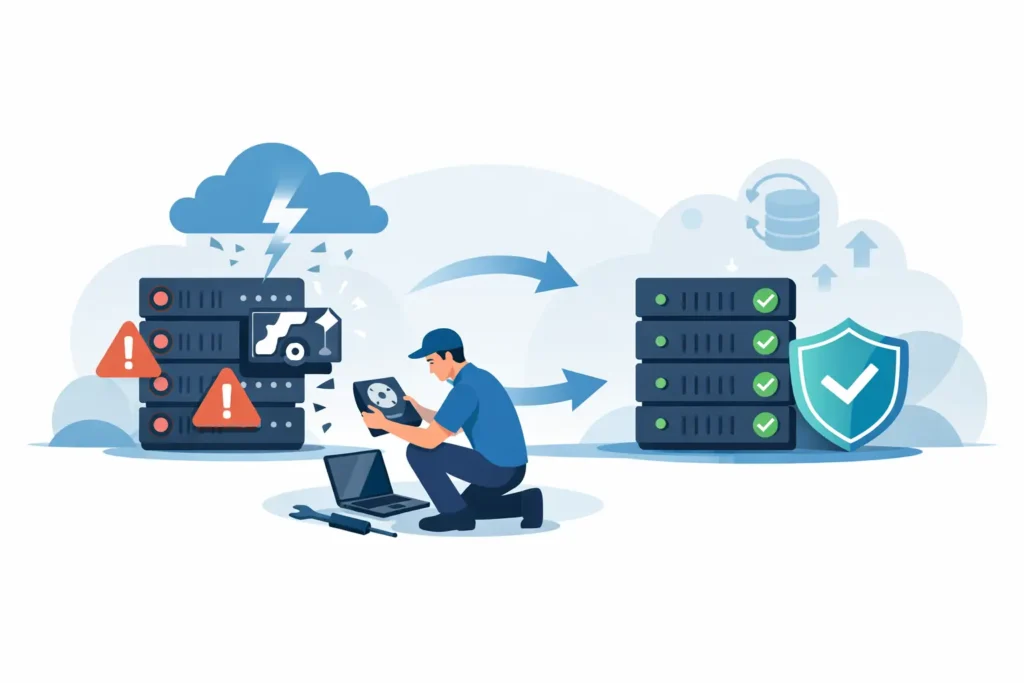
At 8:15 on a Monday morning, a small firm’s file server stops responding. Staff cannot open client folders, the accounts team cannot reach the finance database, and the previous night’s backup has not completed. This server recovery example shows why a failed RAID is not simply an IT inconvenience: it can stop a business from trading, expose deadlines and put confidential information at risk.
The right response is rarely to keep restarting the server until it works. When a RAID, NAS, SAN or Windows Server volume fails, every rebuild attempt, repair utility and write operation can alter the remaining evidence of the data structure. The priority is to preserve what remains, establish the true cause of failure and recover the most valuable data safely.
The incident: a degraded RAID becomes inaccessible
In this example, the business used a six-drive RAID 5 array in a tower server. One drive had failed several weeks earlier, but the server remained online in degraded mode. A replacement drive was ordered, yet before it could be fitted, a second disk began reporting read errors. The server then shut down during a restart and the RAID controller marked the entire array as offline.
This is a common chain of events. RAID 5 can tolerate one failed drive, not two. But the situation is often more complicated than a straightforward double disk failure. Drives may be present but unreadable in sections, the RAID controller may retain incorrect configuration information, or a rebuild may have started against the wrong drive order. Encryption, virtual machines and database files can add further layers to the recovery.
The office had several urgent requirements: retrieve active case files, restore a line-of-business database, protect personal and commercial data, and avoid making the array less recoverable. Their IT provider correctly powered the server down rather than attempting a forced rebuild.
What happens first in professional server recovery
A professional recovery process begins with controlled intake and assessment, not a promise that every server can be repaired in place. The server and its drives are documented, labelled and handled as evidence. This matters because disk position, controller settings and the order in which the drives were removed can all be relevant to RAID reconstruction.
The first task is to establish whether the problem is physical, logical or a combination of both. A physical issue could include failing read heads in a hard drive, damaged firmware, unstable electronics or media degradation. Logical issues include lost RAID parameters, corrupted file systems, accidental reinitialisation, deleted virtual machines or controller metadata damage.
For a multi-disk array, specialists do not normally work from the original drives where avoidable. Each readable member disk is imaged sector by sector to stable recovery media. Drives with mechanical faults may require controlled work in a cleanroom environment before imaging can begin. This protects the original media from unnecessary stress and gives engineers a consistent data set for analysis.
Rebuilding the array without rebuilding the disks
This is the stage people often misunderstand. The aim is not to press the server controller’s rebuild button. It is to reconstruct the RAID virtually from cloned disk images, without writing data back to the original array.
Engineers examine the available disks for RAID parameters such as stripe size, block order, parity rotation, offset and disk sequence. In the example, the six drives appeared similar, but their physical bay order did not automatically confirm the correct logical order. A single incorrect parameter can make folders appear garbled, database records unreadable or virtual disks fail to mount.
The recovery team tests the probable configurations against known file signatures and file-system structures. A valid reconstruction should produce coherent folder names, timestamps and files that open correctly, not merely a volume that appears in software. Where one disk has unreadable sectors, parity calculations and data from the other members may help reconstruct missing blocks. Success depends on the RAID level, the condition of each disk, the extent of degradation and whether previous rebuild activity has overwritten useful information.
In this case, the original RAID 5 configuration was identified, and the virtual array was reconstructed from the images. The file system could then be analysed without changing the customer’s server disks.
Recovering the files that matter first
A complete server recovery can take time, especially where disks are large, damaged or contain several virtual environments. Businesses should not have to wait for every archive file before they can resume urgent work.
The recovery was therefore prioritised. The first export included the active client directory, the finance database, current email archives and the virtual machine files supporting a key application. Less urgent historic material followed after validation. This approach can reduce operational disruption, but it depends on the condition and layout of the data. If critical files are spread across heavily damaged areas, safe extraction may take longer.
Recovered files should be delivered to separate, secure storage rather than copied straight back on to the failed server. Before placing data into production, the business and its IT team should check file counts, open representative documents, test the database and confirm that virtual machines boot in an isolated environment. A folder tree that looks familiar is encouraging, but it is not proof that every file is usable.
Why common emergency actions can make recovery harder
When staff are locked out of shared data, quick fixes are tempting. Some actions are reasonable under the guidance of a qualified IT professional. Others can turn a recoverable incident into a far more difficult one.
Avoid repeated restarts if drives are clicking, spinning down or disappearing from the controller. Do not initialise disks, format volumes or accept prompts to create a new array. Do not run repair tools against the only copy of the affected data, and do not replace multiple drives and begin a rebuild without confirming the array’s condition. A rebuild writes across disks and can overwrite data that recovery engineers would otherwise use.
It is also wise to keep a record of what happened before the failure. Note error messages, whether a drive was replaced, any recent power cut, changes to the controller, and whether the server was running virtual machines or encryption. These details can shorten diagnosis and prevent assumptions based on incomplete information.
The wider lesson from this server recovery example
The technical recovery was only one part of the outcome. The business also needed confidence that its client information would be handled confidentially and that the returned data could be trusted. For organisations dealing with legal files, financial records, medical information, source code or personal data, secure chain-of-custody procedures and GDPR-conscious handling are not optional extras.
RAID is designed for availability, not as a substitute for backup. It can keep a system running after certain hardware failures, but it does not protect against deletion, ransomware, file corruption, controller faults, fire, theft or a failed rebuild. The stronger arrangement is a tested backup strategy with separate copies, defined retention periods and regular restore testing. Whether that means immutable cloud storage, offline backup media or a secondary site depends on the business, its recovery time target and the sensitivity of its data.
The practical value of the case is simple: stopping early protected the best chance of recovery. The server was not repeatedly restarted, the array was not rebuilt blindly, and the data was reconstructed from controlled copies rather than altered originals.
If your server has gone offline, treat the disks and controller configuration as irreplaceable evidence. Power it down if further use risks damage, keep every drive in its original labelled position, and seek an assessment before any repair tool writes to the array. Data Recovery Lab can assess failed RAID and server media with clear communication, secure handling and a no-recovery, no-fee approach – helping you make the next decision with evidence rather than guesswork.
