
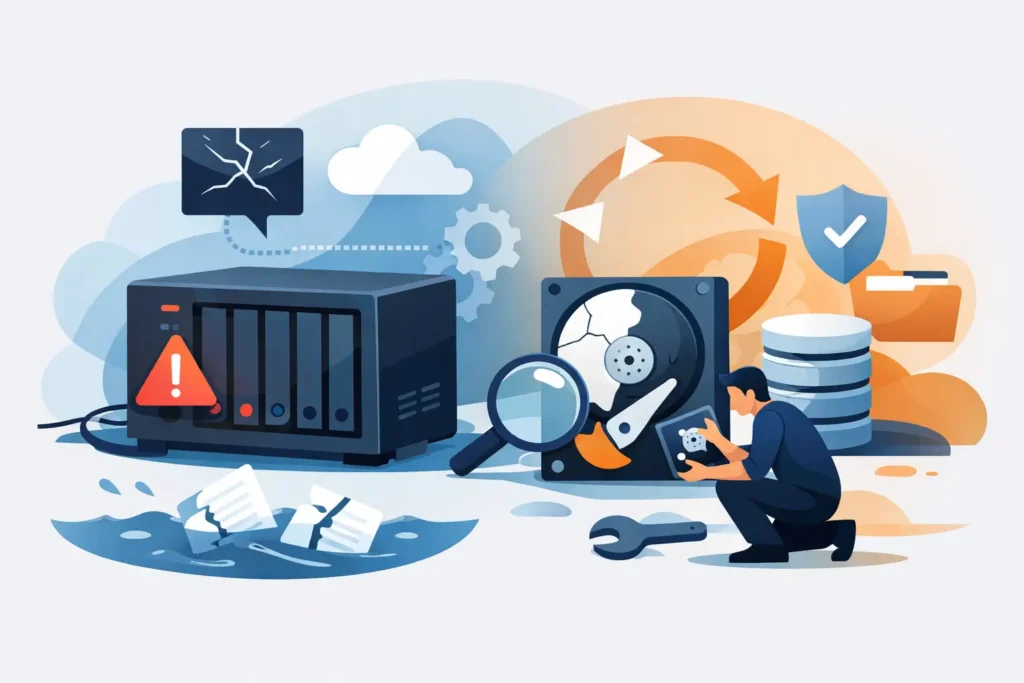
A NAS failure rarely announces itself politely. One morning, a shared folder will not open. A RAID volume is marked degraded. The unit clicks, disappears from the network, or asks to be initialised. At that point, NAS recovery is not simply about getting a device running again. It is about protecting the files, databases, footage, project work and family records stored across several drives before a recoverable fault becomes permanent data loss.
For a business, the pressure can be immediate: inaccessible accounts files, a halted production workflow, or CCTV evidence that cannot be reviewed. For a household or creative professional, it may be years of photographs, video and irreplaceable work. The right first decisions matter more than the first repair attempt.
Why NAS failures are more complicated than a failed hard drive
A network-attached storage device is a small storage server, not just a box containing disks. Its operating system manages the drives, RAID configuration, network shares, permissions, volumes and, in many cases, encryption. When it stops working, the apparent fault may sit in the drives, the enclosure, the RAID metadata, the file system or a combination of all four.
That distinction changes the recovery process. Taking a healthy-looking disk from a multi-bay NAS and connecting it directly to a computer will rarely reveal normal folders. RAID data is distributed across disks in a defined order and pattern. If one drive is read incorrectly, rebuilt into the wrong array, or overwritten by a new configuration, the original structure can be damaged.
NAS devices also create a false sense of security. RAID can keep services running after a single drive fails, depending on the configuration, but it is not a backup. RAID does not prevent accidental deletion, ransomware encryption, file-system corruption, power damage, theft, fire, controller failure or a second disk failing during a rebuild.
The first hour after a NAS failure
Your aim is to preserve the device in its last known state. Do not initialise, format, factory-reset or accept a prompt to create a new storage pool. Those actions can write new metadata to the disks and make accurate reconstruction harder.
If the NAS is making repeated clicking, grinding or spin-up and spin-down sounds, switch it off. Continuing to power a mechanically damaged drive can worsen platter damage and reduce the amount of readable data. If there is no unusual noise and the device is simply unavailable over the network, avoid repeated restarts while you establish what has changed.
Record the details before moving anything: the NAS make and model, number of bays, drive positions, disk capacities, RAID type, warning messages and the sequence of events. Take clear photographs of the drive bays and labels. Disk order is critical in many NAS recovery cases, particularly where several drives have failed, been removed, or were moved during troubleshooting.
It is sensible to check obvious external causes once. Confirm the power supply, network cable and switch port. If the unit has a display, note any error code. However, do not swap disks between bays, run a rebuild, update firmware or attempt an operating-system reinstallation until the data has been assessed. A NAS that appears to boot after intervention may still be writing to an already unstable array.
When a degraded RAID becomes a data recovery case
A degraded RAID means the NAS has detected a missing, failed or unreadable member disk but can still assemble enough of the array to operate. This is a warning state, not proof that the remaining disks are healthy.
If you have a current, verified backup and the NAS reports one clearly failed drive, a controlled replacement may be appropriate. The decision depends on the RAID level, the age and condition of the surviving drives, and whether the device has shown read errors or other instability. Rebuilding puts sustained load on every remaining disk. On an older array, that stress can expose another marginal drive at exactly the wrong time.
Professional assessment is the safer route where there are multiple failed disks, unusual noises, repeated drop-outs, an unsuccessful rebuild, a RAID 5 or RAID 6 volume that will not mount, or data that has become unreadable after a power cut. It is also advisable where the NAS contains sensitive client information, legal material, medical records, financial data or the only copy of essential business files.
Common NAS faults and what they mean
A failed NAS can present in several ways. A device that is visible on the network but shows empty folders may have a file-system or permission problem, though deleted or corrupted data is also possible. A NAS that reports an uninitialised volume may have lost configuration information rather than the files themselves. A unit that will not power on may have a failed power supply or controller, but its disks can still hold intact data.
Hard-drive failure remains common, especially in arrays where drives were installed at the same time and have experienced the same workload. Bad sectors, read instability, damaged heads and firmware faults may affect one or several members. SSD-based NAS systems have different risks: controller faults, failed flash translation layers, power-loss corruption and wear-related issues can make conventional software recovery ineffective.
Ransomware is another serious scenario. If shared folders contain renamed files, unfamiliar extensions or ransom notes, disconnect the NAS from the network promptly. Do not delete the encrypted data or pay on the assumption that decryption will follow. A recovery assessment can establish whether earlier snapshots, unaffected volumes, deleted data remnants or clean backups are available.
How professional NAS recovery works
A proper NAS recovery process begins with preservation, not repair. Each drive is examined and, where necessary, stabilised before data extraction begins. Drives with physical faults may require specialist hardware work in a controlled laboratory environment. The purpose is to obtain safe, sector-level copies rather than repeatedly read failing original media.
Technicians then analyse RAID metadata and the data pattern across the member disks. This involves identifying disk order, start offsets, stripe size, parity rotation, controller behaviour and the file system used by the NAS. These details are not interchangeable. A plausible but incorrect RAID reconstruction can produce corrupted folders, damaged databases and files that open with missing content.
Once the array has been reconstructed virtually, the recovered file system is inspected for directory structure, file integrity and priority data. In more severe cases, data may need to be extracted from raw disk images rather than a mountable volume. Databases, virtual machines, surveillance recordings and encrypted volumes require particular care because a file that merely appears in a directory is not necessarily usable.
Confidential handling matters throughout this work. A credible provider should explain how media is tracked, stored and accessed, how your recovered data is returned, and whether its processes support GDPR obligations. For organisations managing customer or employee information, those operational safeguards are part of the recovery decision, not an optional extra.
Can NAS recovery software help?
Software can be useful for straightforward logical problems on healthy disks, especially where a single volume has been accidentally deleted and there is a verified copy of the original media to work from. It is not a safe first response to a clicking drive, a multi-disk RAID failure, a failed rebuild or a NAS with uncertain disk order.
The main risk is writing back to the original array or allowing a tool to guess the RAID layout incorrectly. Even read-only scanning can place heavy demand on drives that are already failing. If the data has real personal, commercial or evidential value, stop before experimenting. The cost of an assessment is often far lower than the cost of turning a recoverable situation into an incomplete recovery.
Choosing a NAS recovery provider
Ask practical questions rather than relying on broad promises. Can the provider recover from your specific NAS and RAID configuration? Do they have a physical laboratory and cleanroom capability for failed drives? Will they assess the media before asking you to approve a fixed quote? What security controls protect confidential data? Is there a no-recovery, no-fee policy?
Data Recovery Lab provides free collection and assessment, works from a visitable London laboratory, and applies more than 20 years of specialist recovery experience to complex NAS, RAID and server cases. That matters when several disks have failed or the NAS itself is no longer accessible: recovery requires careful reconstruction, not a generic file scan.
If your NAS is still running, copy the most critical files to separate storage immediately and verify that they open. If it has failed, preserve the disk order, stop unnecessary power cycles and keep every original drive together. Calm, controlled action gives your data the best possible chance of coming back intact.
