
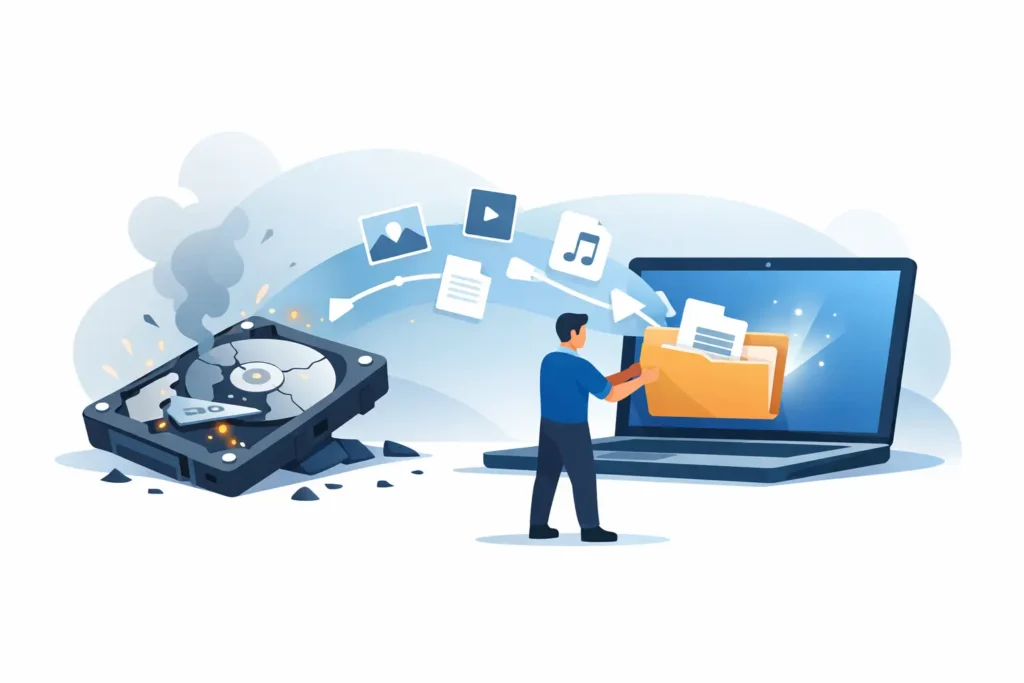
When a hard drive crashes, the first few minutes matter more than most people realise. If you need to recover files from crashed hard drive storage, every extra restart, scan, or improvised fix can reduce the chance of a clean recovery. We see this regularly with family photos, business records, legal documents, creative projects, and CCTV footage that were still recoverable until the drive was pushed too far.
A crashed hard drive does not always mean your data is gone. It does mean you need to treat the device carefully and make the right call early. In some cases the fault is logical, such as file system corruption or accidental formatting. In others, it is physical – failed heads, damaged platters, motor seizure, firmware faults, power surge damage, or controller failure. The difference matters, because the correct response for one type of fault can make another far worse.
Can you recover files from crashed hard drive damage?
Often, yes. The real question is not whether recovery is possible in theory, but whether the drive has been handled in a way that preserves recovery potential.
If the drive is still spinning and detected by a computer, there may be a path to a controlled recovery. If it is clicking, beeping, not spinning, overheating, disappearing from the BIOS, or causing the system to freeze, the situation is more serious. These are common signs of mechanical or electronic failure, and they usually require specialist equipment, cleanroom procedures, and forensic imaging methods rather than software downloaded in a panic.
That is where many recoveries are won or lost. Consumer software can help in limited logical loss scenarios, but it cannot repair failed read-write heads or safely stabilise damaged firmware. It also cannot stop a weak drive from deteriorating during repeated scans.
What to do immediately after a hard drive crash
The safest first step is to stop using the device. Shut the system down properly if you still can. Do not keep rebooting to see if the drive comes back, and do not run repair tools simply because the operating system suggests it.
If the crashed drive is external, disconnect it. If it is inside a laptop or desktop and the machine is struggling to boot, switch it off and leave it off. Continued power can turn a recoverable fault into platter damage, especially if the heads are unstable.
You should also avoid well-meaning but risky advice. Putting a drive in the freezer, tapping it, changing circuit boards at random, or opening the unit outside a controlled lab environment can permanently destroy data. Hard drives are not built to be opened on a kitchen table. A tiny amount of dust in the wrong place can be enough to cause head crashes and media scoring.
When DIY recovery is reasonable – and when it is not
There are cases where a cautious DIY approach is reasonable. If a drive is healthy, properly detected, and the issue appears to be deleted files or a corrupted partition rather than a hardware crash, read-only recovery software may help. Even then, the golden rule is simple: never install software onto the affected drive and never save recovered files back to it.
That said, many people use the phrase “crashed hard drive” to describe a drive that is making noises, disconnecting randomly, or no longer mounting at all. In those cases, DIY efforts are high risk. A drive with failing heads can degrade with every second of use. A drive with firmware issues may identify itself incorrectly or stop responding halfway through imaging. A drive with electrical damage may have wider internal faults than a visible burnt component suggests.
If the data matters, the safer option is professional assessment before any further action. That is especially true for businesses, legal matters, financial records, surveillance footage, and irreplaceable personal files.
Common crash scenarios and what they mean
Not all hard drive failures look the same, and the symptoms often point to the likely recovery path.
A clicking drive usually suggests head or actuator trouble. A drive that spins up and then powers down may have firmware or internal mechanical issues. A beeping drive often indicates seized components or motor problems. If the drive is completely dead, the fault may involve the printed circuit board, power regulation, or deeper internal damage.
Then there are drives that seem normal but show missing folders, corrupted names, or prompts to format. These cases may involve logical corruption, bad sectors, malware, or a failing drive that is only partly readable. They can still require lab work if the media is unstable.
For business users, RAID and NAS cases add another layer of complexity. The failed device may be only one part of the problem, and rebuilding arrays without a full diagnosis can make recovery more difficult. The same applies to external backup drives. People often assume the backup copy is safe until that drive fails too.
How professionals recover files from crashed hard drive failures
Professional recovery is about control. The goal is not to make the original drive work normally again. It is to extract the maximum readable data in the safest possible way.
The process usually starts with diagnostics to identify whether the failure is logical, electrical, firmware-based, or mechanical. If the drive can be stabilised without invasive work, technicians create a sector-level image using specialist hardware designed to handle unstable media. Recovery work is then carried out on that image, not on the failing original.
Where internal components have failed, cleanroom intervention may be needed. This can involve replacing damaged head assemblies, addressing seized motors through controlled methods, repairing firmware access issues, or resolving electronic faults so the drive can be imaged safely. These are not generic repairs. Matching donor parts, adapting to manufacturer-specific behaviour, and controlling read strategy all require experience.
A serious lab will also treat confidentiality as part of the recovery itself, not an afterthought. For private clients that means discretion. For companies, solicitors, healthcare providers, and regulated organisations, it means secure handling, documented processes, and GDPR-aware workflows.
Choosing a service you can trust
Data loss creates urgency, and urgency makes poor providers look convincing. That is why credibility matters.
If you are handing over a crashed drive containing sensitive or valuable data, ask practical questions. Is there a real lab you can visit, or only a mailing address? Do they offer a proper assessment before quoting? Can they explain whether the issue is logical or physical? Is pricing fixed and transparent once the fault is identified? Do they operate on a no-recovery, no-fee basis? Do they have cleanroom capability and technicians who deal with failed media every day?
These are not marketing extras. They are signs that your drive is being handled by people who understand what is at stake. At Data Recovery Lab, this is exactly why clients come to us when the data matters and guesswork is not acceptable.
How long does recovery take?
It depends on the fault, the capacity of the drive, the condition of the media, and the urgency of the case. A straightforward logical recovery may be completed relatively quickly. A mechanically damaged drive requiring donor parts and controlled imaging can take longer, especially if sectors need repeated careful reads.
Emergency options can speed up the process, but no responsible lab should promise instant results without seeing the device. Recovery is not only about speed. It is about preserving the best possible outcome.
The same is true of cost. There is no honest flat answer before assessment because a mildly corrupted external drive and a physically damaged multi-terabyte internal drive are not the same job. What matters is a clear diagnosis and a firm quote before recovery work proceeds.
Your best chance starts with restraint
The most costly mistake after a hard drive crash is usually not the failure itself. It is the attempt to force a dying device to behave like a healthy one.
If the files matter, stop using the drive, avoid quick-fix software and home remedies, and get it assessed by a genuine recovery lab. The sooner the right hands see the device, the better your chances of getting back what cannot be replaced.
