
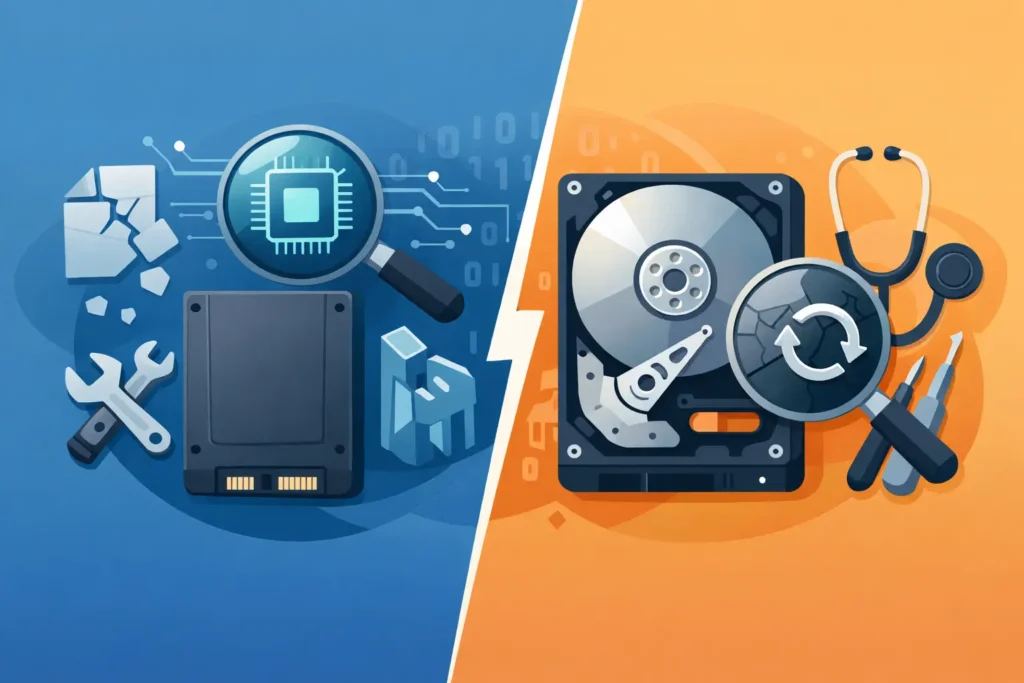
A laptop that vanishes from the BIOS and an external drive that starts clicking may both mean data loss, but the recovery path is rarely the same. SSD vs hard drive recovery is not a minor technical distinction. It changes how likely your files are to be recovered, how quickly action is needed, and whether powering the device on again could make the situation worse.
For anyone holding business records, legal evidence, creative work or irreplaceable family photos, that difference matters immediately. The wrong assumption – especially treating an SSD like an old mechanical drive – can reduce the chances of a successful recovery before proper diagnostics have even started.
SSD vs hard drive recovery: why they fail differently
A traditional hard drive stores data on spinning magnetic platters. It relies on moving parts: motors, bearings, actuator arms and read-write heads. When a hard drive fails, the fault is often mechanical, electrical, logical, or a combination of the three. That means recovery engineers can sometimes repair or stabilise the drive in controlled lab conditions long enough to image the data.
An SSD works in a completely different way. There are no spinning platters or heads. Data is stored across NAND flash memory chips, managed by a controller that handles wear levelling, error correction, garbage collection and mapping. That design makes SSDs faster and more shock resistant in daily use, but often far more complex when they fail.
This is the point many people miss: SSD failure is not simply a newer version of hard drive failure. Once the controller, firmware, power circuitry or NAND translation layer is damaged, the data may still physically exist on the chips but be extremely difficult to reconstruct. In many cases, specialist chip-level work and proprietary tools are required. In others, encryption and controller dependency can make a full recovery impossible.
Why hard drive recovery is often more achievable
Hard drives are older technology, but from a recovery standpoint that can work in the customer’s favour. The failure modes are better understood, donor parts are often available, and the relationship between what is stored on the platters and how it is read is more direct than on many SSDs.
If a hard drive has bad sectors, a damaged PCB, corrupted firmware or accidental deletion, there may be a good chance of recovery if the drive is handled properly. Even in mechanical cases, such as head failure or contamination, a specialist cleanroom process can sometimes recover substantial amounts of data. The work is delicate, but it is established.
That does not mean hard drives are easy. A clicking drive can deteriorate very quickly, and every extra power cycle can increase platter damage. A badly scratched platter or a severe head crash may leave permanent data loss. Still, compared with SSDs, hard drives more often offer a recoverable path because the data structure is not being constantly remapped behind the scenes by a controller.
Why SSD recovery is more complex
SSD recovery is often less forgiving for one simple reason: the storage system is heavily managed by firmware. What the operating system sees as a straightforward file structure is, internally, a shifting map of blocks, pages and wear-levelled locations. If the controller fails or that map is lost, the NAND contents can become meaningless without reconstruction.
There is another major factor: TRIM. When files are deleted on many SSDs, the operating system may send a TRIM command telling the drive which blocks are no longer needed. This helps performance, but it can dramatically reduce the chance of recovering deleted files. On a hard drive, deleted data often remains on the platters until overwritten. On an SSD, TRIM can cause those blocks to be cleared or prepared for erasure much sooner.
That is why deleted file recovery on an SSD can be significantly less successful than on a hard drive, even when the deletion happened recently. It depends on the system, the file system, whether TRIM was active, and what the drive did afterwards. There is no honest one-size-fits-all promise here.
Failure symptoms are not interchangeable
A failing hard drive often gives warning signs people recognise: clicking, grinding, slow access, freezing during file transfers, disappearing partitions, or repeated read errors. These are serious signs, but they can point engineers towards a likely failure category.
A failing SSD may behave differently. It may vanish completely, become read-only, show the wrong capacity, trigger blue screen errors, or stop responding without noise or obvious physical symptoms. That silence can be misleading. Customers sometimes assume no sound means no severe damage. In practice, an SSD can move from unstable to inaccessible very quickly.
For businesses, that matters because the first response often determines the outcome. Rebooting repeatedly, running repair utilities, reinstalling the operating system or cloning a failing SSD without the right equipment can make matters worse. The same is true of hard drives, but with SSDs the margin for error is often smaller.
SSD vs hard drive recovery after deletion, formatting or corruption
If the issue is logical rather than physical, the comparison changes slightly.
On hard drives, accidental deletion, formatting and file system corruption are often recoverable if the drive is not used afterwards. Since deleted data usually remains until overwritten, prompt action can preserve a strong chance of recovery.
On SSDs, the answer is more conditional. If TRIM has not been executed, or if the drive was used in a way that did not immediately clear the underlying blocks, recovery may still be possible. But if TRIM has already done its job, deleted files may not be recoverable in any meaningful way. This is one of the clearest examples of why SSD vs hard drive recovery should never be treated as the same service category.
Encrypted devices add another layer. Many SSDs, laptops and business systems use hardware or software encryption. Even where the raw NAND data can be extracted, recovery depends on whether the encryption keys and metadata are intact. Hard drives can also be encrypted, of course, but modern SSD architecture often ties recovery more closely to the original controller and firmware environment.
What to do the moment a drive fails
If a hard drive starts clicking, powers down unexpectedly, or disappears intermittently, switch it off and leave it off. If an SSD becomes inaccessible, stops mounting, or causes system crashes, the same rule applies. Continued use is rarely worth the risk.
Do not install recovery software on the affected device. Do not initialise it if prompted. Do not run CHKDSK, First Aid or similar repair tools unless you are prepared for the possibility of data loss. These utilities are designed to restore file system usability, not preserve every damaged or deleted file.
If the data matters, the next step should be a professional assessment. A proper lab will determine whether the problem is logical, electrical, firmware-based, mechanical or chip-level, and whether a stable forensic image can be created before deeper extraction work begins.
When professional recovery is essential
There is a place for software tools in low-risk scenarios, particularly when a secondary drive has suffered simple accidental deletion and the data is non-critical. But once the device shows signs of hardware failure, becomes unstable, or holds commercially sensitive information, DIY stops being a sensible gamble.
This is particularly true for SSDs. Successful SSD recovery often depends on specialist readers, controller expertise, firmware repair methods and NAND reconstruction techniques that are not available outside a genuine lab environment. For hard drives, mechanical cases may require cleanroom work, donor matching and controlled imaging strategies.
Customers should also pay attention to chain of custody and confidentiality. If the device contains client records, financial data, legal material or personal information, handling standards matter as much as technical skill. Secure assessment, GDPR-compliant processes and transparent quoting are not marketing extras. They are part of a professional recovery service.
At Data Recovery Lab, this is exactly why every case starts with a proper technical assessment rather than guesswork. It protects the media, clarifies the fault, and gives customers a realistic view of recovery prospects before any chargeable work proceeds.
Which is better for recovery prospects?
If the question is purely about recoverability, traditional hard drives often have the edge. Their failures can be severe, but their structure is generally more recoverable, especially where deleted files, firmware issues or controlled mechanical repair are involved.
If the question is about day-to-day reliability and performance, SSDs offer clear advantages. They are faster, more resistant to knocks, and usually the better choice for modern systems. But speed and convenience do not automatically translate into easier recovery.
That is the real answer behind SSD vs hard drive recovery: the better storage device for everyday use is not necessarily the easier one to rescue after failure. When data is valuable, the smartest move is not guessing which technology is safer. It is stopping early, avoiding further damage, and getting the device assessed by people equipped to handle both.
