
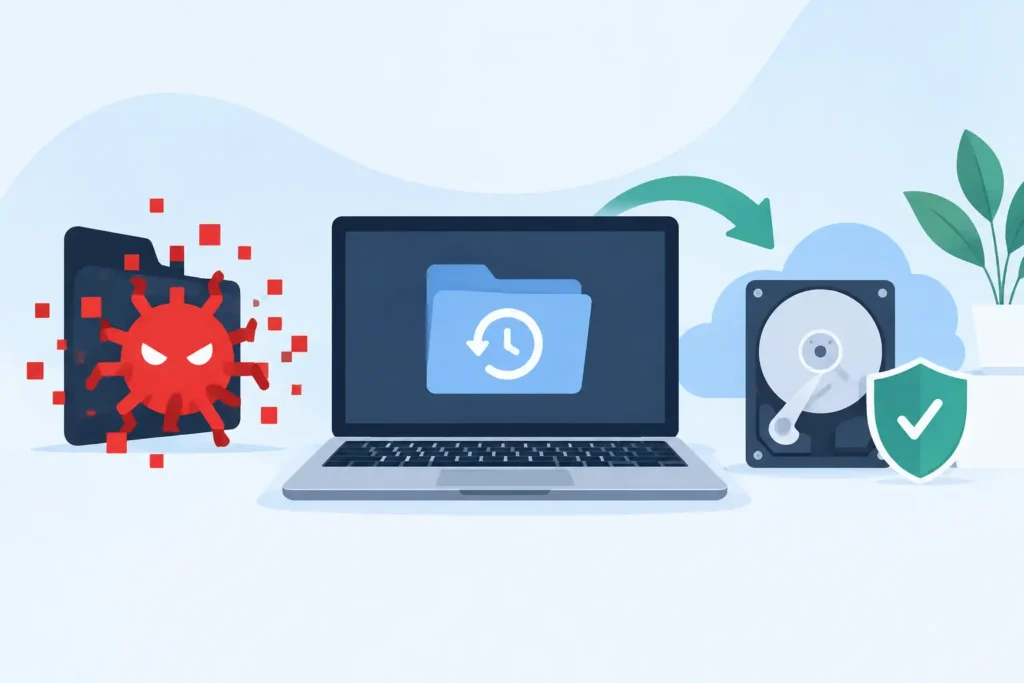
The first hour after a malware attack can decide whether your files remain recoverable or become permanently overwritten. This guide to malware data recovery explains what to do when documents will not open, folders have vanished, a ransom note appears, or a device begins behaving suspiciously. The priority is not to fix the computer quickly. It is to stop further damage, preserve the evidence and protect every possible recovery route.
Malware data loss is rarely as simple as pressing restore. An infection may encrypt files, delete folders, corrupt the file system, steal credentials, damage backups or remain active in the background. The right response depends on the type of attack, the storage device involved and whether clean copies of the data still exist.
Isolate the device before taking any action
If you suspect malware, disconnect the affected device from the internet and any local network immediately. Remove the Ethernet cable, turn off Wi-Fi and disconnect external drives, USB sticks and network storage where possible. If the device is part of a business network, alert IT or your incident-response contact straight away so other machines can be checked and contained.
Do not keep using the computer to search for fixes, download recovery tools or copy files around. Every action writes new data to the drive. On a hard drive, this can overwrite deleted material that may otherwise be recoverable. On an SSD, background processes and TRIM commands can make recovery more difficult, particularly after deletion or formatting.
If encryption is still actively progressing, shutting the machine down may be appropriate. If the attack has apparently stopped and the system contains valuable evidence, leave it powered but isolated until a qualified technician advises you. This is one of the situations where there is no universal rule: preserving an active system can help an investigation, while continued activity can also increase the risk of damage.
Identify what malware has done to the data
The symptoms provide useful clues, but they are not proof of the exact threat. Ransomware typically changes file extensions, makes files unreadable and leaves a payment demand. Wiper malware may delete or overwrite files with no realistic decryption option. Spyware and remote-access malware may leave data intact while exposing confidential information, passwords and customer records.
Some attacks only appear to be ransomware. A failing drive, corrupt file system or unstable NAS can produce inaccessible folders and strange filenames. Equally, a ransomware incident can coincide with a failing disk, complicating recovery. A proper assessment should establish whether the loss is caused by encryption, deletion, physical device failure, file-system corruption or a combination of factors.
For businesses, treat a suspected malware event as both a data-recovery and a security incident. Preserve the ransom note, filenames, timestamps, system logs and any suspicious emails. Do not forward malicious attachments to colleagues. Keep a written record of when the issue was noticed, which devices were affected and what actions were taken. This information can support technical analysis, insurance requirements and any necessary reporting obligations.
Do not rush into a factory reset or clean-up
A factory reset, reinstall or aggressive anti-malware clean-up can remove the very material needed to recover files or understand the breach. It may also overwrite sectors containing deleted data. Antivirus software has a role, but running it blindly on the original affected device is not always the safest first step when the files are critical.
The safer approach is to work from a forensic image or cloned copy wherever possible. This creates a stable working version of the storage media while preserving the original condition of the drive. Recovery specialists can analyse the copy for deleted files, damaged partitions, remnants of previous versions and recoverable data structures without repeatedly altering the source device.
This matters especially for legal teams, regulated organisations and businesses holding personal data. You may need to demonstrate that evidence was handled carefully, identify what data was exposed and maintain a defensible chain of custody. Confidential recovery is not simply about discretion. It is about controlled handling, documented processes and secure return of recovered information.
Check backups carefully, not blindly
A clean, verified backup is usually the fastest route back to normal operations. However, do not connect backup drives or restore an entire system until you know they are free from the infection. Many modern ransomware variants seek out attached drives, mapped network shares and accessible cloud folders before making their presence obvious.
Check when the last successful backup completed, whether it contains the required files and whether the backup was isolated from the affected environment. Versioned cloud storage may retain earlier copies of documents, but synchronisation can also propagate encrypted or deleted versions. Review version history from a clean device and avoid allowing an infected computer to reconnect.
For a business, restore only after the malware has been removed from the environment and credentials have been reset. Restoring good data into a compromised system simply gives the attacker another opportunity to encrypt or steal it. IT teams should also review administrator accounts, remote access tools, email rules and backup permissions before putting recovered systems back into service.
What a guide to malware data recovery cannot promise
No responsible provider can promise that every encrypted or deleted file can be restored. Recovery depends on the malware family, whether a decryption key exists, how long the device has been used since the incident, the condition of the storage media and the type of drive involved.
With ransomware, some file types may be recoverable from previous versions, temporary copies, unencrypted remnants or backups. In other cases, modern encryption is cryptographically strong and recovery without a valid key is not feasible. Paying a ransom is also not a guarantee of decryption, complete data return or safe removal of the criminal’s access.
Deleted files can sometimes be recovered when their data has not been overwritten. Traditional hard drives often offer better prospects than SSDs after deletion, but each case is different. Physical drive faults, such as clicking hard drives, failed SSD controllers or damaged RAID arrays, require a separate technical response and should not be subjected to repeated DIY recovery attempts.
When professional recovery is the sensible next step
Professional assessment is particularly valuable when the affected data is commercially sensitive, legally significant or irreplaceable. This includes client files, accounting records, CCTV footage, creative projects, research data, family photographs and critical operational databases. It is also the right choice when a drive makes unusual noises, is not detected, has been dropped, or contains a RAID or NAS volume that has become inaccessible after an attack.
A specialist lab can assess the storage device without relying on the infected operating system. The recovery process may involve creating a sector-level image, repairing logical structures, rebuilding a RAID configuration, extracting files from damaged media or examining available file versions. For physically failed drives, cleanroom-capable work may be needed before logical malware recovery can even begin.
Ask direct questions before handing over a device. Will the original media be preserved? Is the assessment carried out by trained technicians? How is confidential data stored and transferred? Is the quotation fixed before work proceeds? What happens if no data is recovered? These are practical safeguards, not sales details.
Data Recovery Lab provides free collection and assessment, GDPR-conscious handling and a no-recovery, no-fee approach for cases where specialist intervention is needed. For urgent business incidents, speed matters, but evidence preservation and careful handling matter just as much.
Prevent the second incident
Once files have been restored, do not treat recovery as the end of the job. Rebuild affected machines from known-clean media, patch operating systems and applications, reset passwords from a trusted device and enable multi-factor authentication. Review who has access to shared folders and remove permissions that are no longer necessary.
A resilient backup plan should include more than one copy of valuable data, with at least one copy kept offline or otherwise isolated from normal network access. Test restoration regularly. A backup that has never been tested is an assumption, not a recovery plan.
Most importantly, give yourself permission to pause when malware strikes. Isolate the device, protect the original data and get informed technical advice before trying quick fixes. Calm, early action gives your files the best possible chance of coming back safely.
